GITHUB SPARK REDESIGN X GITHUB NEXT
GITHUB SPARK REDESIGN X GITHUB NEXT
Everyone can build- Empowering the non-technical user group to work with AI builder tools. A collaboration project with GitHub - product public review is live!
Role
Lead Product Research and Designer
Lead Product Research and Designer
Timeline
Dec 2024-Jun 2025
Team
Product Design
UX Researchers @ GitHub
Deliverables
Interactive Mocks
High Fidelity Prototype
Competitor Study
Design Guidelines
80%
Faster prototyping
5X
Faster MVP launches
↑ High
Higher user confidence
5x
Faster MVP launches
100 mil
Early adopters/ new users
3+
Features adopted by Github
SCOPE
SCOPE
Scoping our audience, we found early- stage startup team and founders with little to no technical background are most motivated to build digital products independently using AI tool
🟣 Non-Technical Users: 0–1 yrs coding exposure, no dev background
🔵 Technical Users: 3+ yrs coding experience, active/prior SWE roles
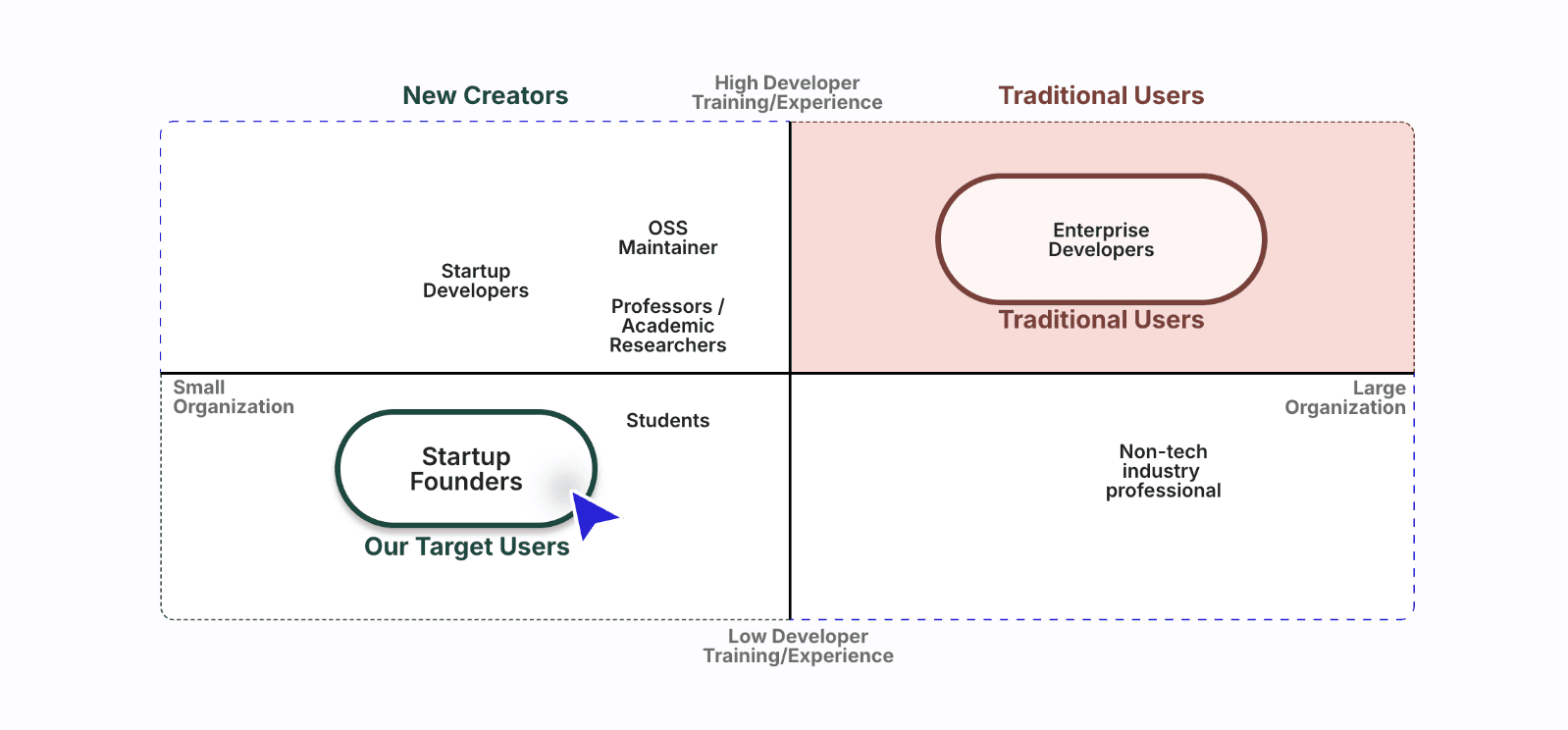
Traditional Users
New Creators
Startup Developers
OSS
Maintainer
Professors / Academic Researchers
Non-tech
industry
professional
Enterprise Developers
Low Developer
Training/Experience
High Developer
Training/Experience
Small
Organization
Traditional Users
Large
Organization
Students
Startup Founders
Our Target Users
PROBLEM
PROBLEM
The new wave of vibe coding tools promised anyone can build. But our research found the ‘building’ process itself quietly relied on real coding and design knowledge. Non-technical users were left guessing.
Expanding GitHub’s creator base

AI enabling intuitive, code-free product workflows

Rising “build-by-feel” trend among early-stage Startups

"I don’t trust it [The tool and output] because i don’t understand the code."
"Customizing complex interactions for MVP or integrations quickly becomes difficult."
OPPORTUNITY
OPPORTUNITY
We compared non-technical users with developers using vibe coding tools and found a gap in control and clarity. While developers navigate with confidence, non-technical users need visibility and guidance. Our design closes this gap with more explainable AI interactions.
We compared non-technical users with developers using vibe coding tools and found a gap in control and clarity. While developers navigate with confidence, non-technical users need visibility and guidance. Our design closes this gap with more explainable AI interactions.
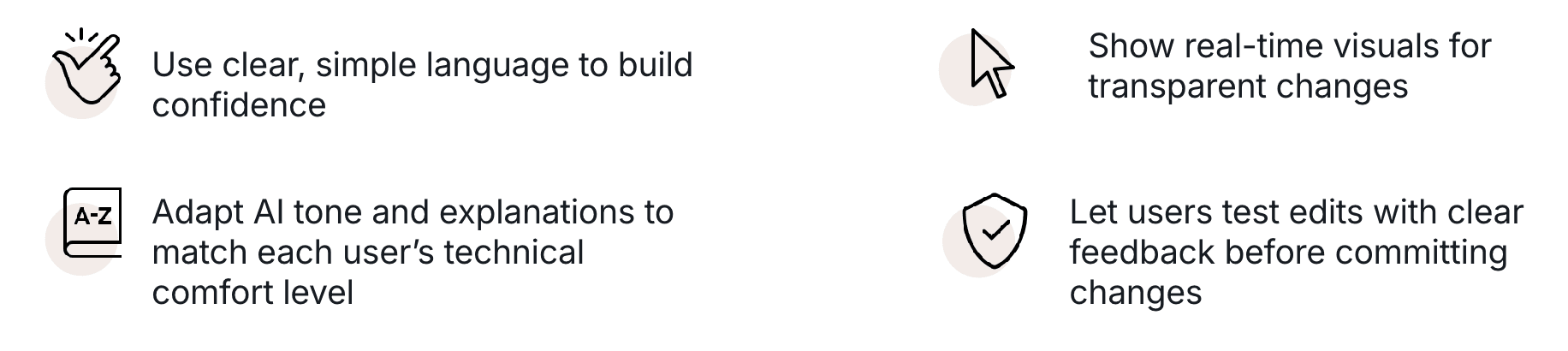
Use clear, simple language to build confidence

Show real-time visuals for transparent changes

Adapt AI tone and explanations to match each user’s technical comfort level

Let users test edits with clear feedback before committing changes

Our focus- The Iteration Stage
Users build, test, and refine- is the main friction point in AI creation. Creators face unclear outputs and limited control, making iteration the biggest barrier to trust and progress.
Users build, test, and refine- is the main friction point in AI creation. Creators face unclear outputs and limited control, making iteration the biggest barrier to trust and progress.

At a time when AI tools like Vercel and Lovable were just emerging, understanding the the motivations and pain points of these early-stage, non-technical creators helped us define where Spark could truly make a difference — not just for Spark, but applicable across AI prompting and generation tools.
At a time when AI tools like Vercel and Lovable were just emerging, understanding the the motivations and pain points of these early-stage, non-technical creators helped us define where Spark could truly make a difference — not just for Spark, but applicable across AI prompting and generation tools.
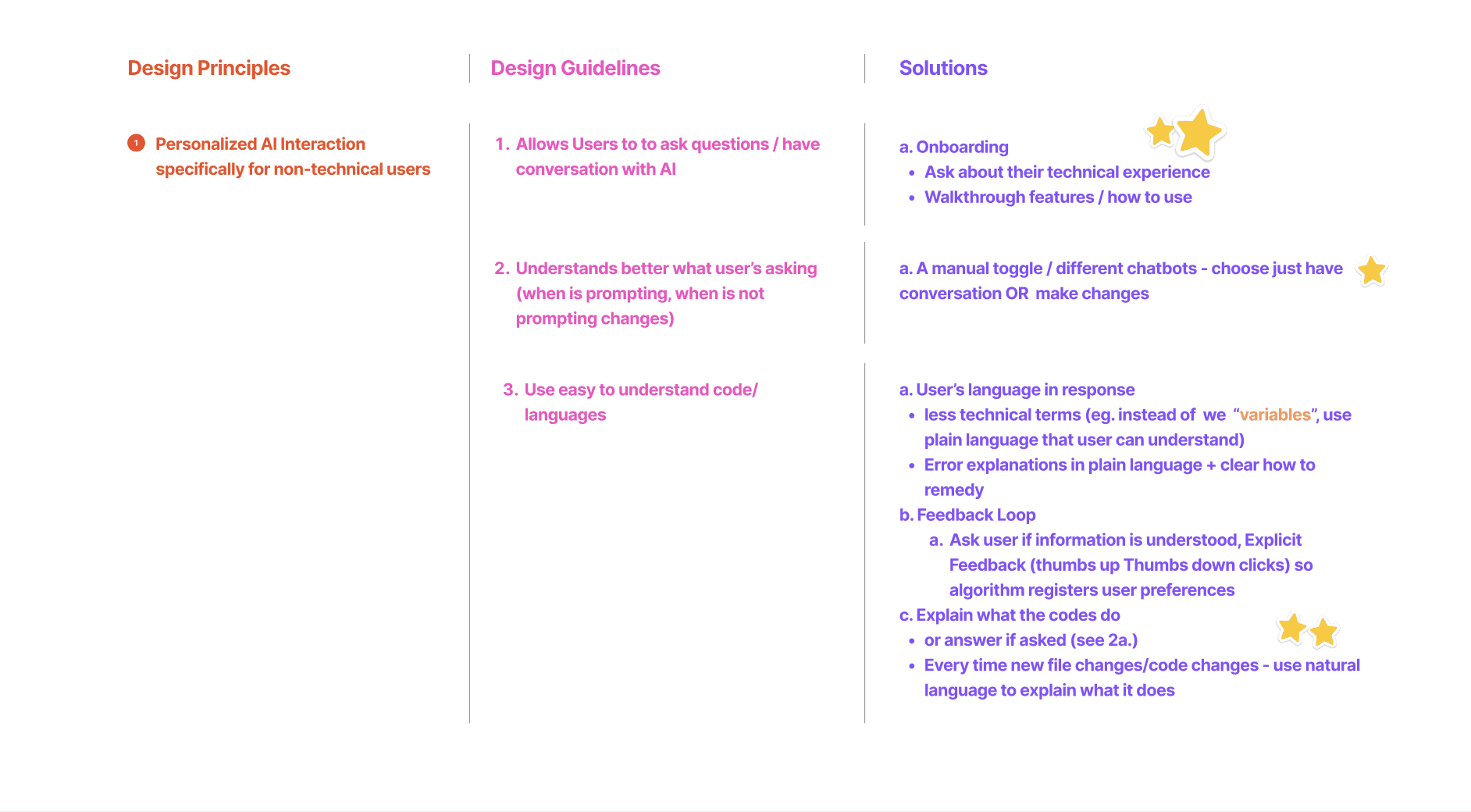
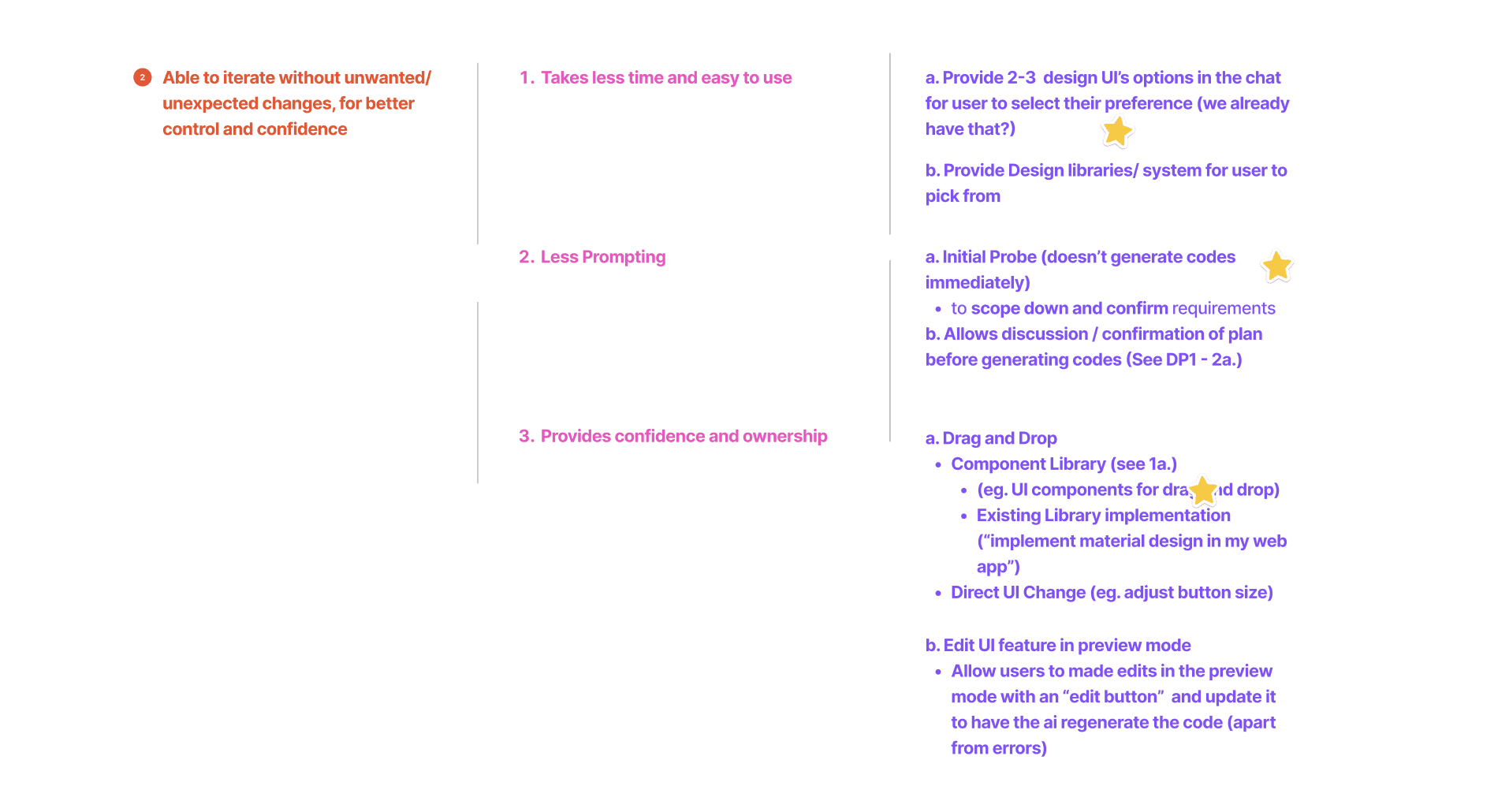
Personalized AI Interaction for non-technical users
Personalized AI Interaction for non-technical users
Personalized AI Interaction for non-technical users
Personalized AI Interaction for non-technical users
Able to iterate without unwanted/unexpected changes, for better control and confidence
Able to iterate without unwanted/unexpected changes, for better control and confidence
Able to iterate without unwanted/unexpected changes, for better control and confidence
Able to iterate without unwanted/unexpected changes, for better control and confidence
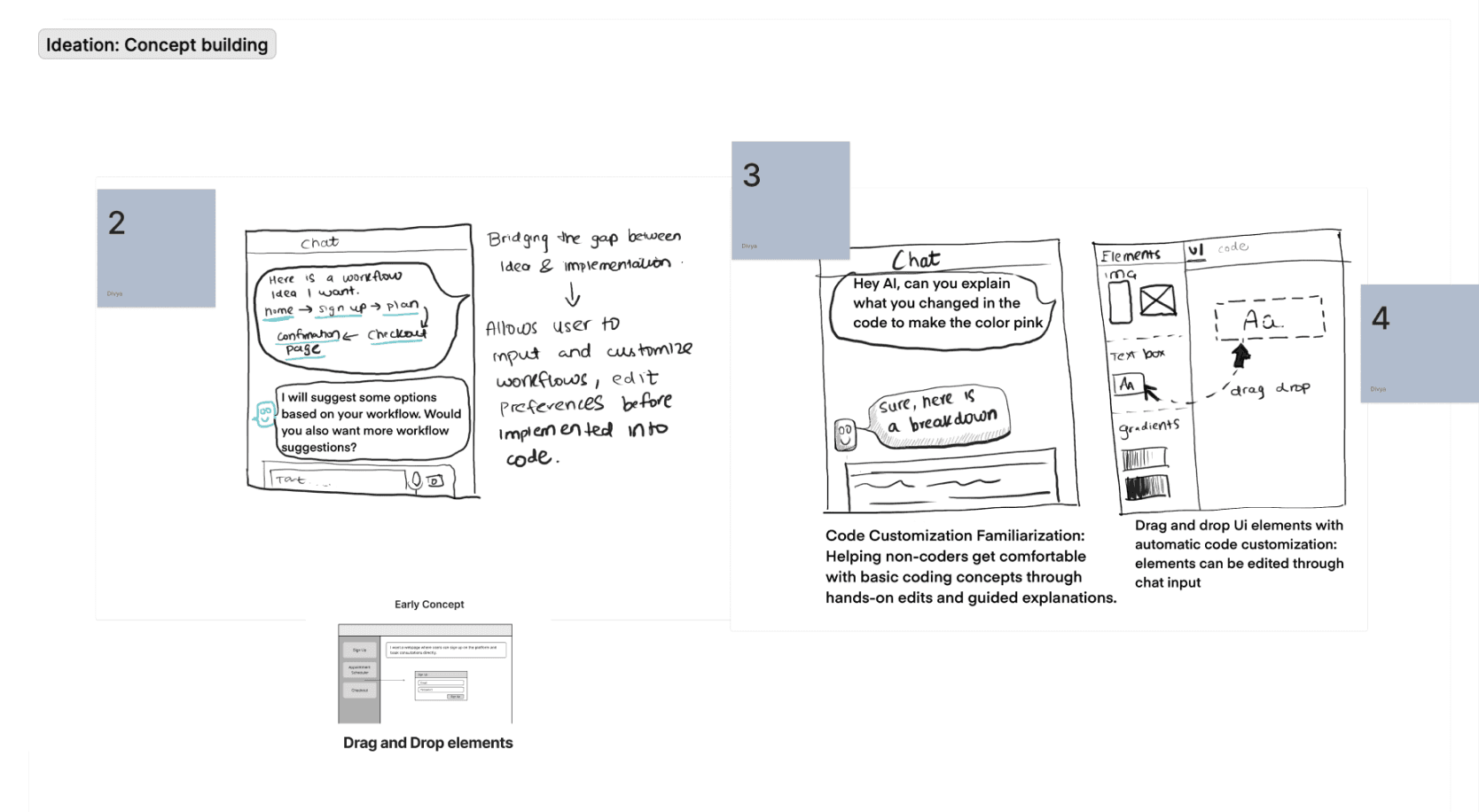
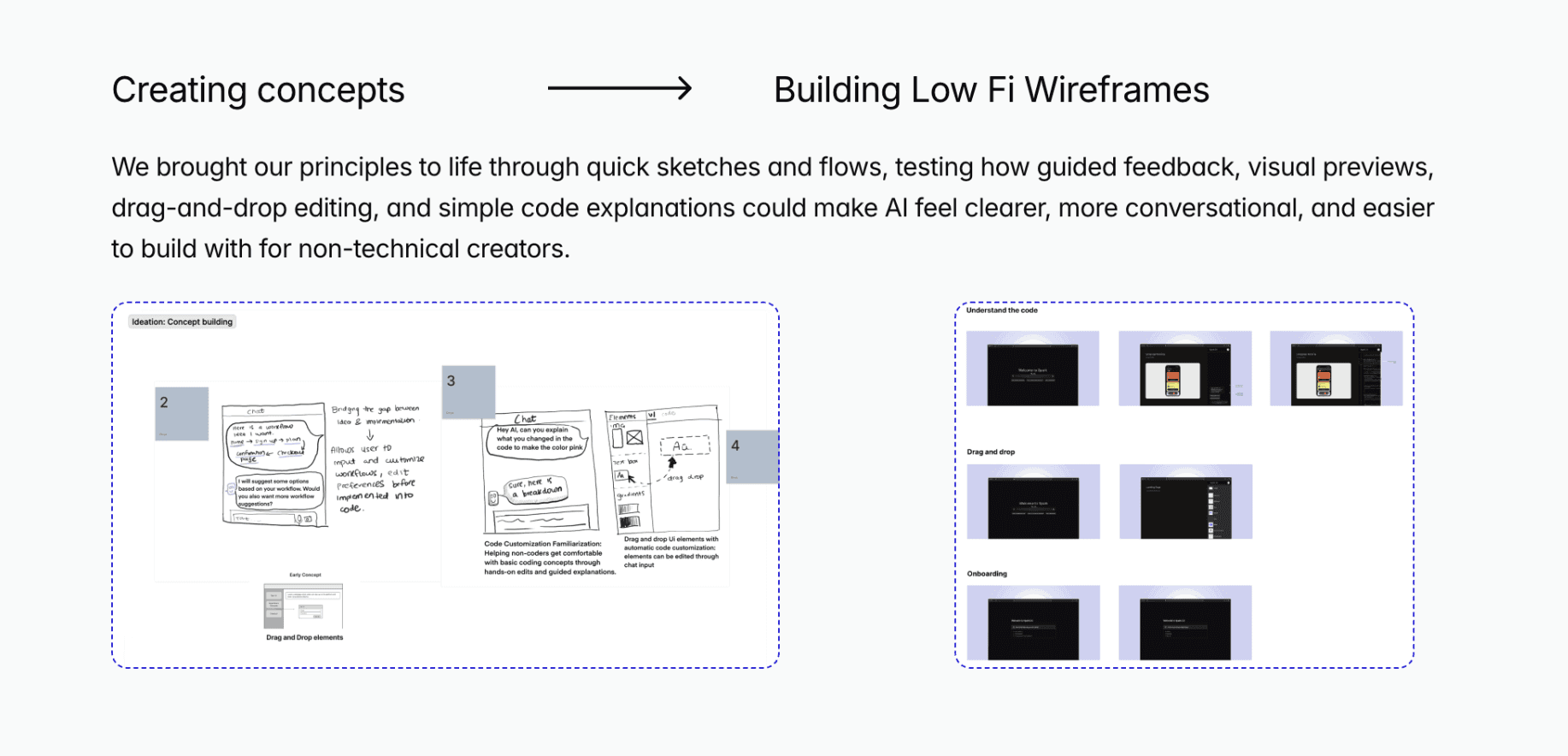
Creating concepts
We brought our principles to life through quick sketches and flows, testing how guided feedback, visual previews, drag-and-drop editing, and simple code explanations could make AI feel clearer, more conversational, and easier to build with for non-technical creators.
We brought our principles to life through quick sketches and flows, testing how guided feedback, visual previews, drag-and-drop editing, and simple code explanations could make AI feel clearer, more conversational, and easier to build with for non-technical creators.
Building Low Fi Wireframes
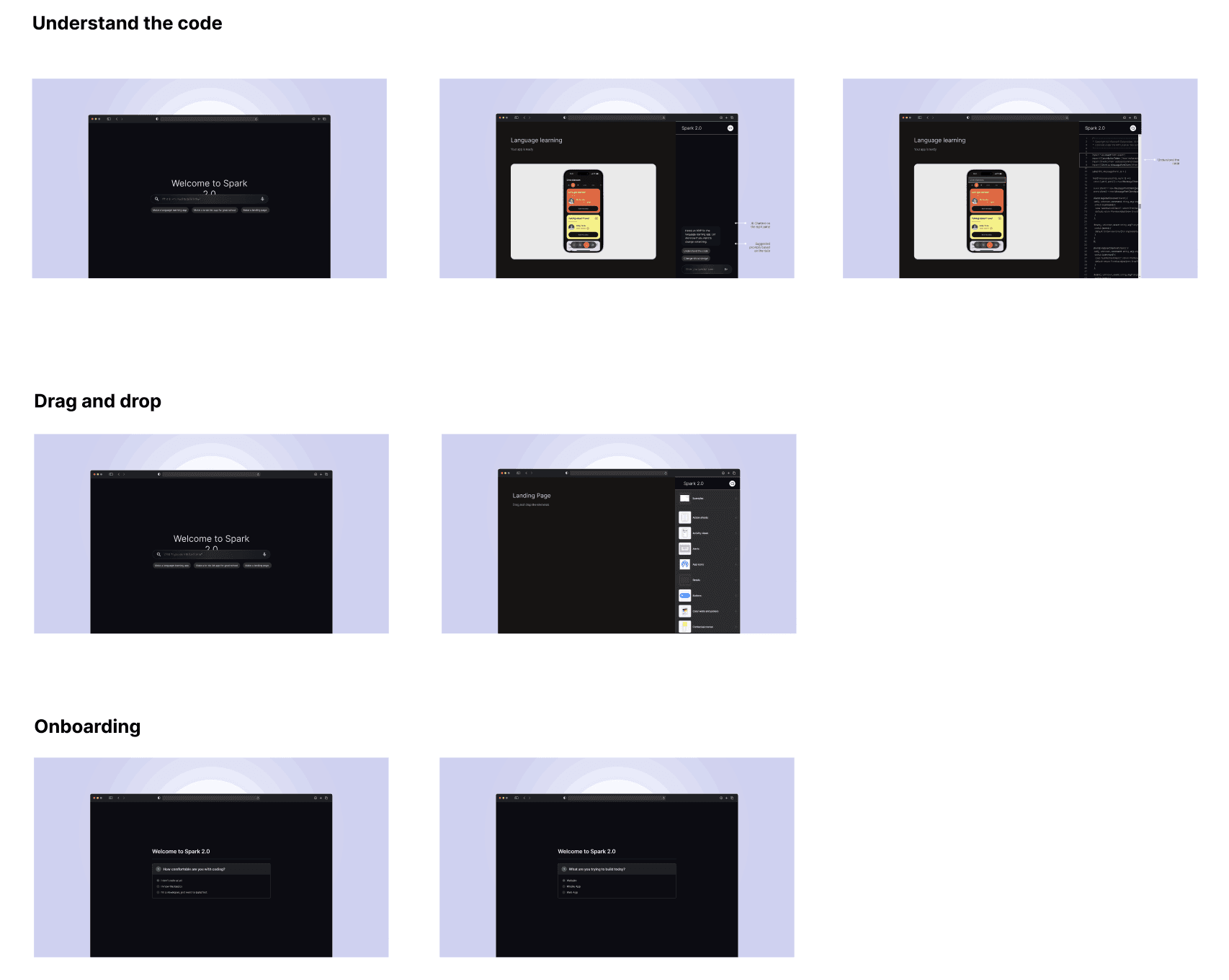
After finalizing and designing our concepts, we conducted task-based think-aloud usability tests followed by retrospective interviews with non-technical startup founders, which led us to...
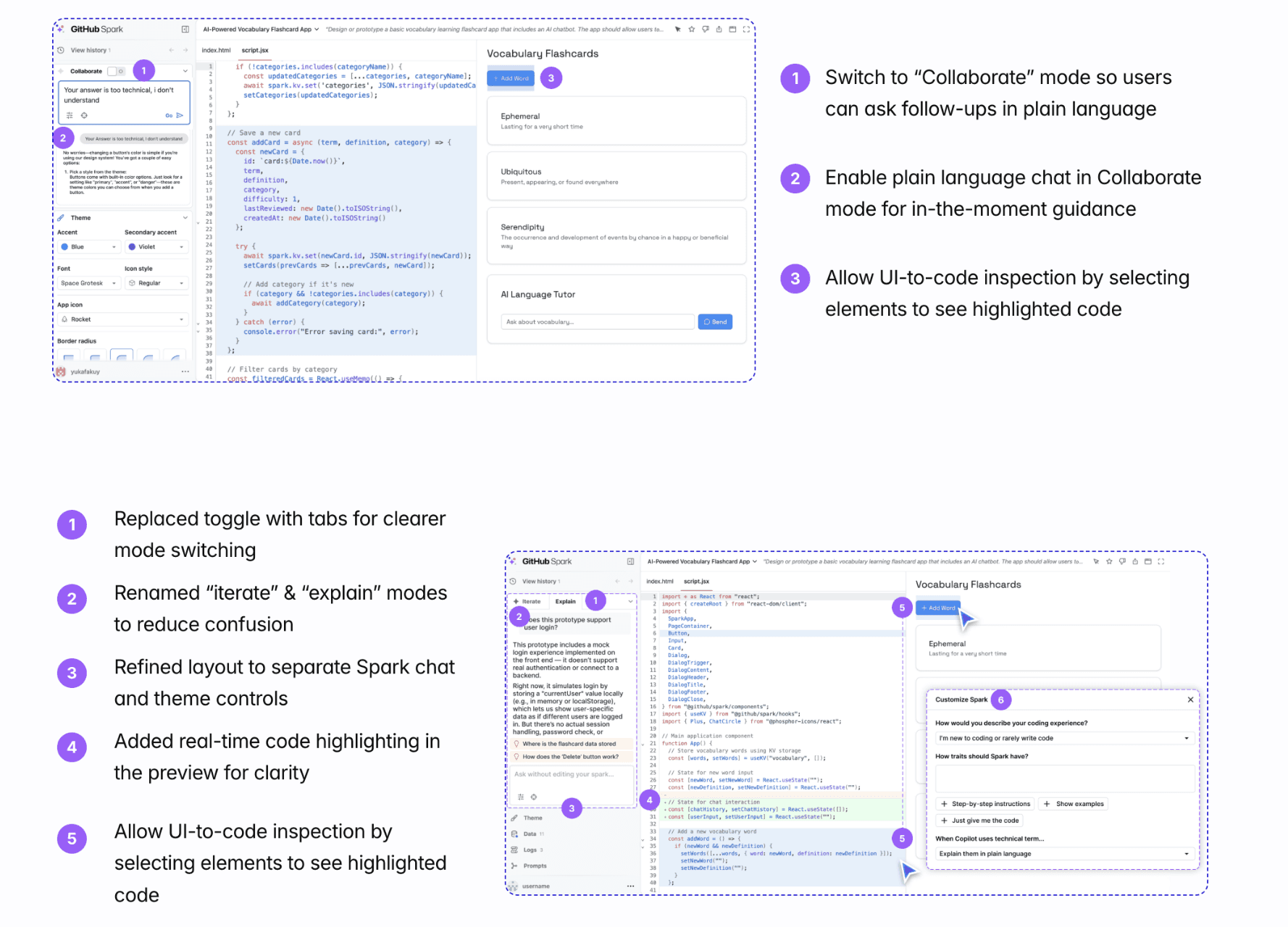
After finalizing and designing our concepts, we conducted task-based think-aloud usability tests followed by retrospective interviews with non-technical startup founders, which led us to...
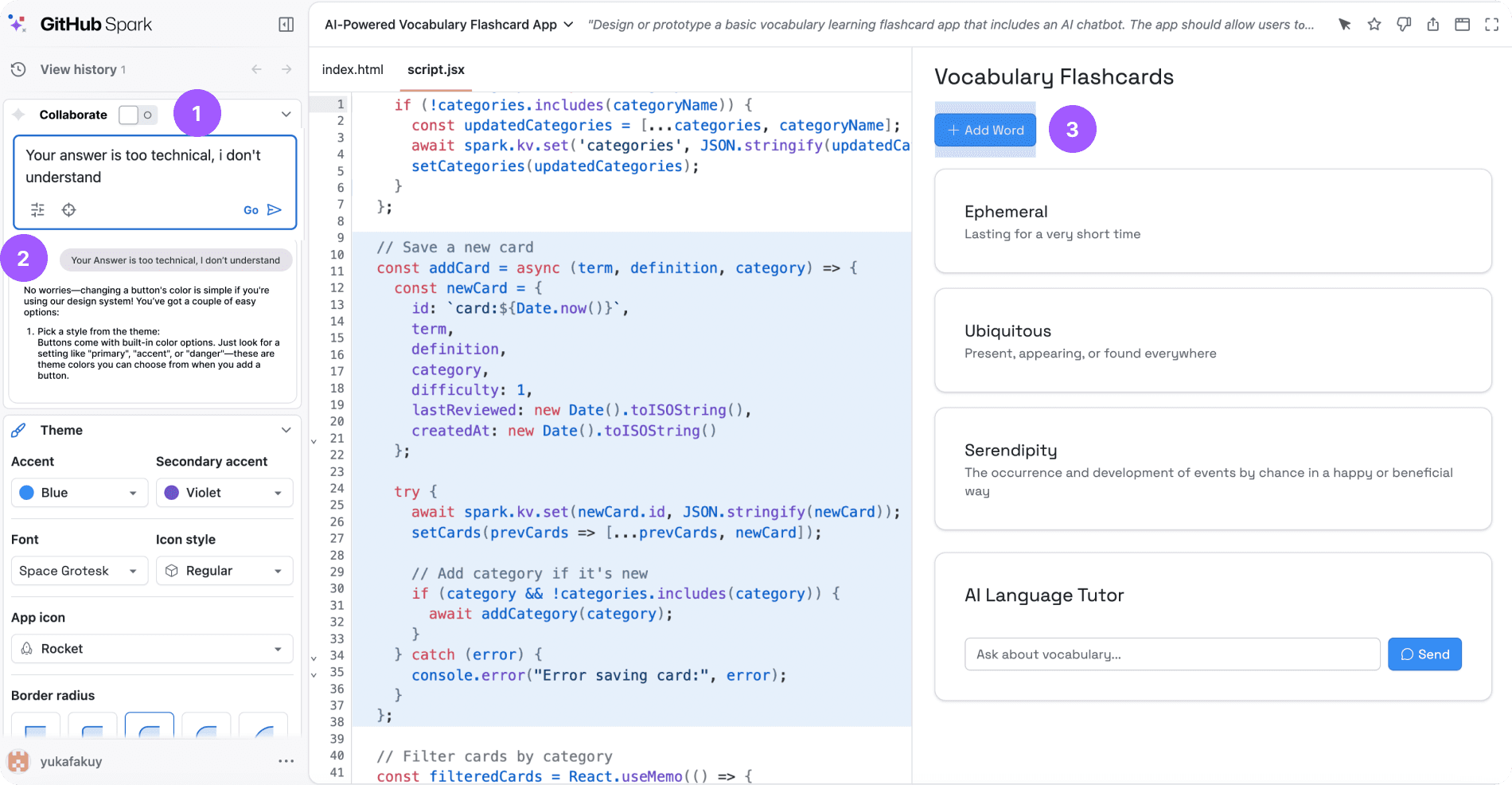
1
Switch to “Collaborate” mode so users can ask follow-ups in plain language
2
Enable plain language chat in Collaborate mode for in-the-moment guidance
3
Allow UI-to-code inspection by selecting elements to see highlighted code
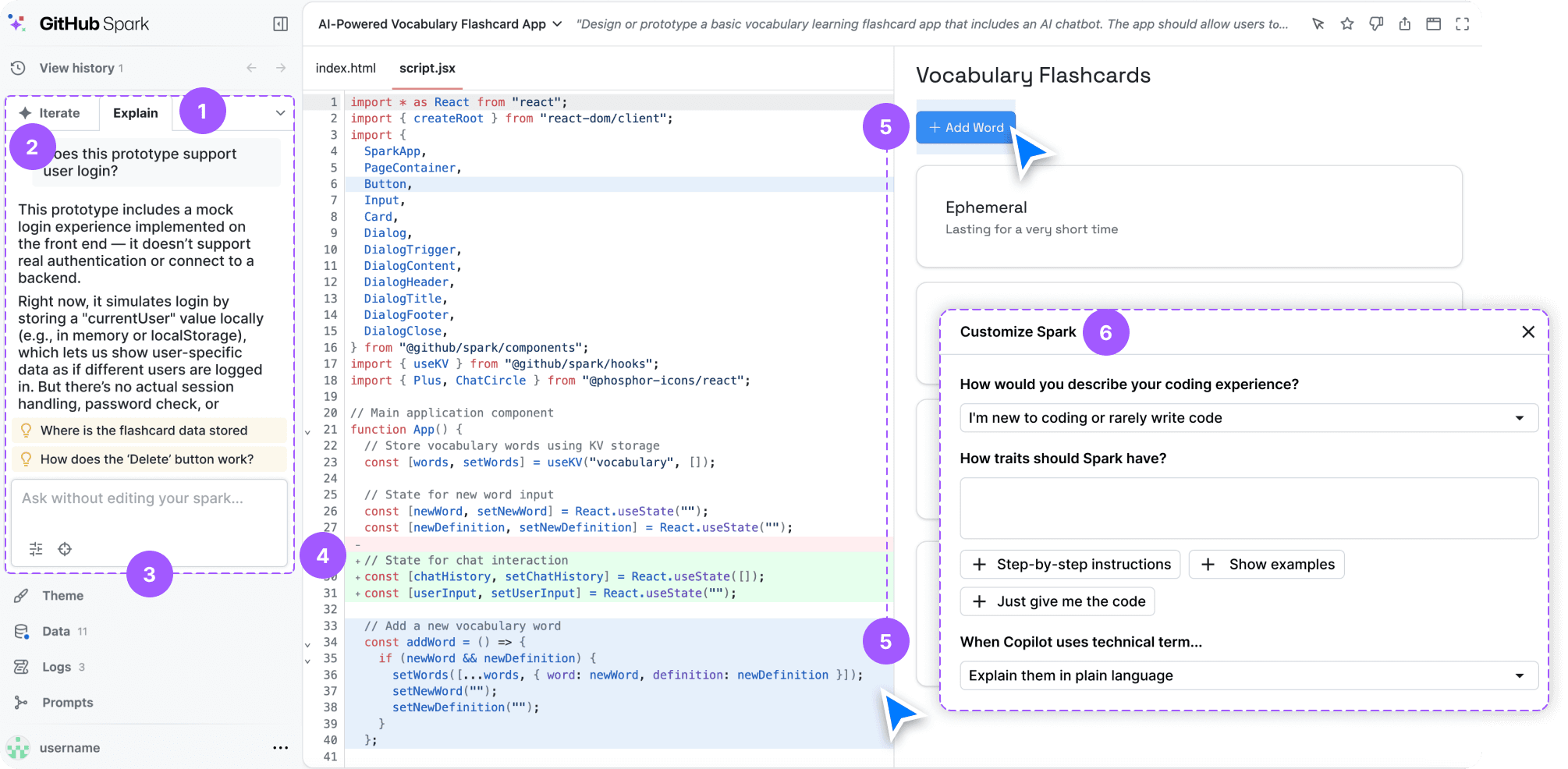
1
Replaced toggle with tabs for clearer mode switching
2
Renamed “iterate” & “explain” modes to reduce confusion
3
Refined layout to separate Spark chat and theme controls
4
Added real-time code highlighting in the preview for clarity
5
Allow UI-to-code inspection by selecting elements to see highlighted code
6
Set technical level so Spark matches user’s language
CORE FLOWS
CORE FLOWS
To give users clear, controllable, and trustworthy ways to understand, edit, and iterate on AI-generated code without losing visibility or confidence.
To give users clear, controllable, and trustworthy ways to understand, edit, and iterate on AI-generated code without losing visibility or confidence.
An agentic workflow that separates planning from execution
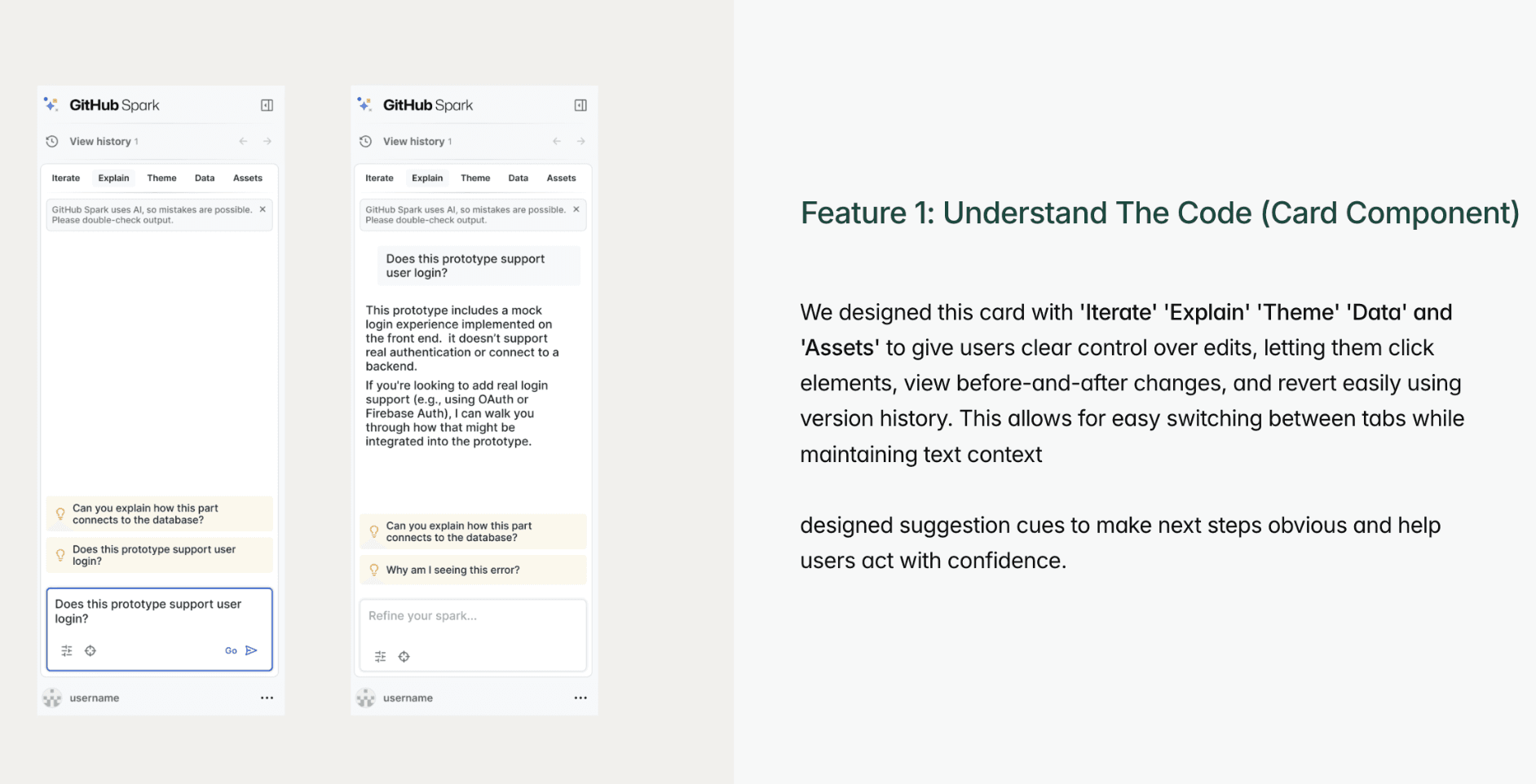
Read-only by default so asking never alters your work. Mode confusion dropped from 75% to 5%. A new dedicated space where questions feel natural, not forced into the build flow
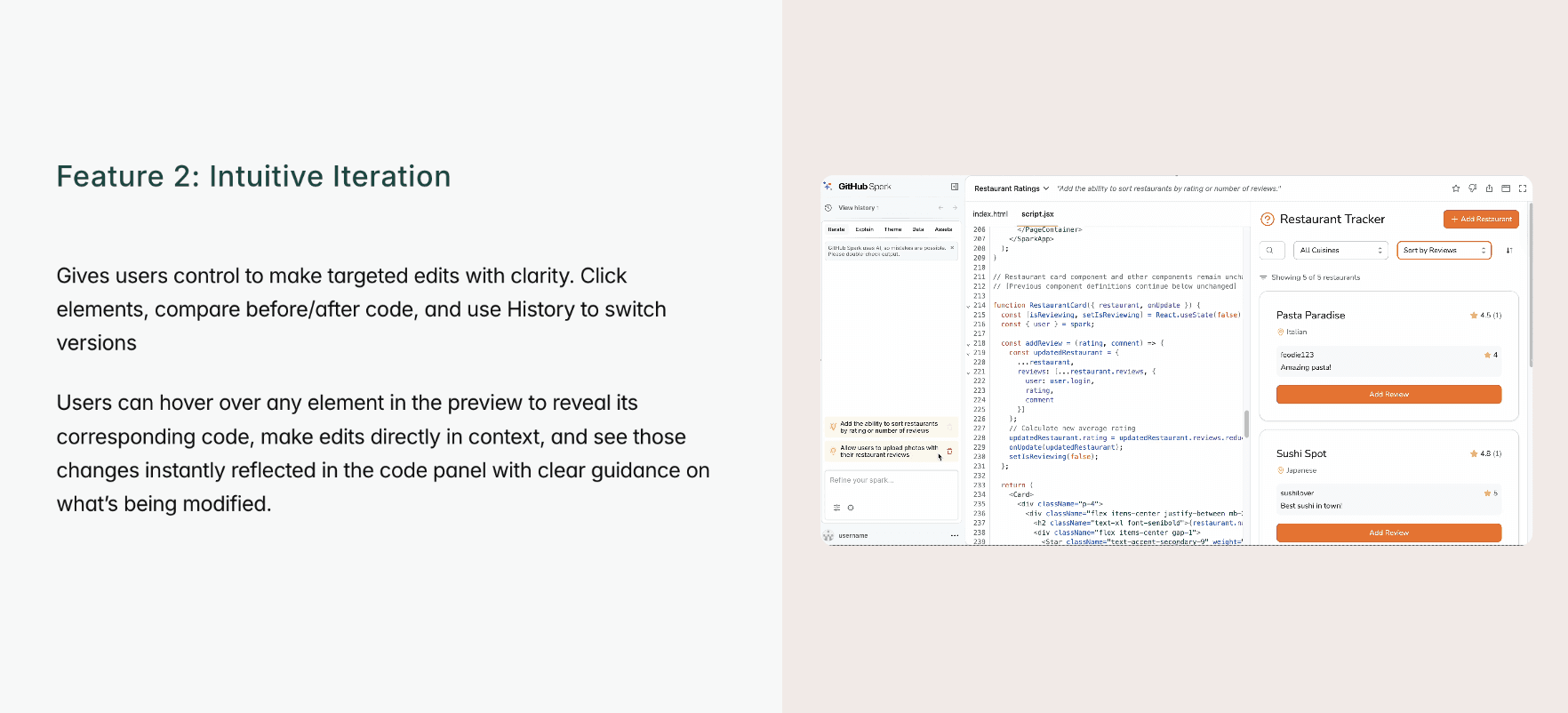
We designed this feature to give users clear control over edits, letting them click elements, view before-and-after changes, and revert easily using version history.
Guiding non-technical users to recover from errors
Every explanation in plain language a non-coder can follow, zero jargon. Iterate mode and Ask Spark work together, so users can see where errors occurred and prompt AI to fix them with ease
We designed this feature to give users clear control over edits, letting them click elements, view before-and-after changes, and revert easily using version history.
Intuitive Iteration
Users can hover and select one component and work on the respective element with guided suggestions. “Oh nice... I like that I can just undo. That makes me feel like I can actually mess around without breaking stuff” - (P)
We designed this feature to give users clear control over edits, letting them click elements, view before-and-after changes, and revert easily using version history.
Interface Customization
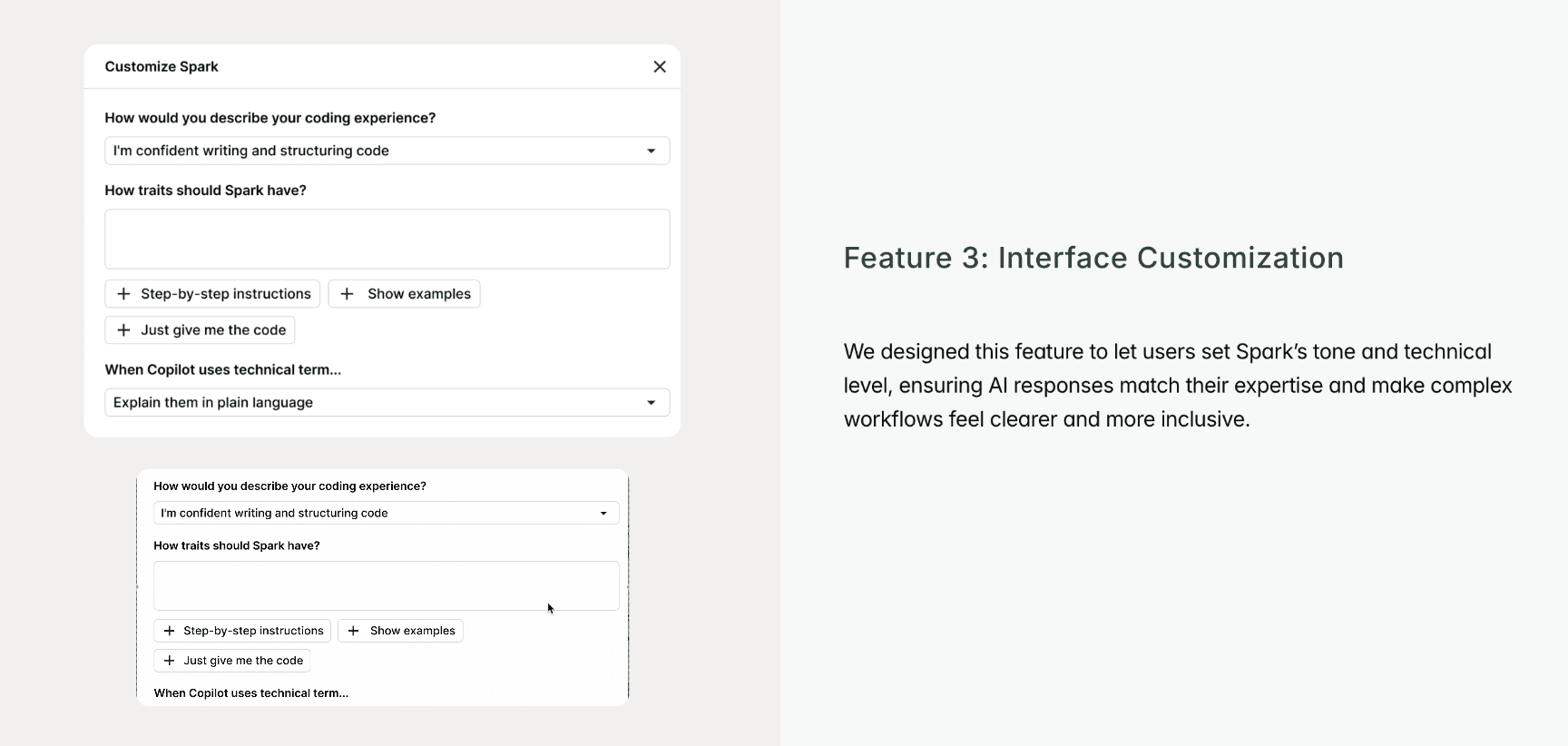
We designed this feature to let users set Spark’s tone and technical level, ensuring AI responses match their expertise and make complex workflows feel clearer and more inclusive. Built for non-technical founders, but it guides everyone, coder or not
We designed this feature to give users clear control over edits, letting them click elements, view before-and-after changes, and revert easily using version history.
Think of the future, work in ambiguity
This project taught me to design for where these tools are heading, not just where they are today, using AI in my own process to test and judge ideas rather than generate them. And I learned that trust doesn't come from AI being perfect, it comes from people being able to see what it's doing and stay in control.
Designing ahead of a live model…
We designed against simulated AI outputs instead of a live Copilot model, which meant no real conversation or code-generation testing and no end-to-end Spark integration to validate against.
Retrospective & Learnings
Learnings
The project taught us to creatively simulate AI complexity through prototyping and storytelling. We saw that user trust comes not from perfect automation but from clarity, transparency, and giving people confidence and control throughout the experience.
Limitations
Our usability testing couldn’t capture quantitative measures of performance or large-scale validation, which limited how precisely we could evaluate impact. Time constraints also prevented us from testing live AI interactions, so some findings remained conceptual.
Future directions we explored as part of the team’s roadmap and design process. While these didn’t make it into the final build due to scope and prioritization, they helped shape our thinking. Feel free to reach out at divya.mavin2@gmail.com for more details.
Future directions we explored as part of the team’s roadmap and design process. While these didn’t make it into the final build due to scope and prioritization, they helped shape our thinking. Feel free to reach out at divya.mavin2@gmail.com for more details.

Designed and built with purpose | © 2026 Divya Mavinkurve. All rights reserved.
Designed and built with purpose | © 2026 Divya Mavinkurve. All rights reserved.
Role
Lead Product Research and Designer
Timeline
Dec 2024-Jun 2025
Team
PM, Design and UX Research
Deliverables
Interactive Mocks
High Fidelity Prototype
Competitor Study
Design Guidelines
Designed and built with purpose | © 2026 Divya Mavinkurve. All rights reserved.
Designed and built with purpose
© 2025 by Divya Mavinkurve