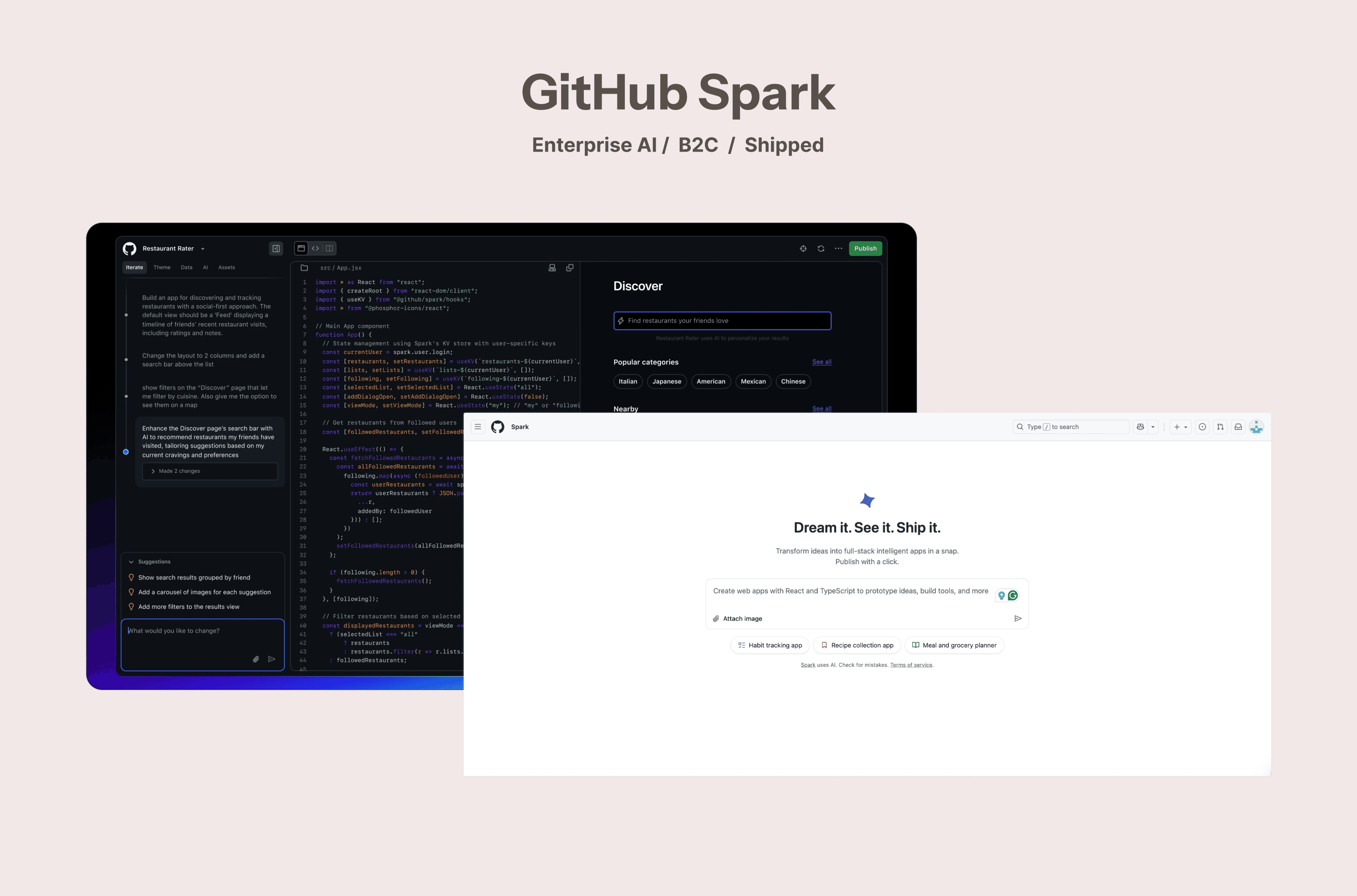
Everyone can build- Empowering the non-technical user group to work with AI builder tools. A collaboration project with GitHub - product public review is live!
Everyone can build- Empowering the non-technical user group to work with AI builder tools. A collaboration project with GitHub - product public review is live!
80%
Faster prototyping
5X
Faster MVP launches
↑ High
Higher user confidence
Role
Lead Product Research and Designer
Timeline
Dec 2024-Jun 2025
Team
Product Design
UX Researchers @ GitHub
Deliverables
Interactive Mocks
High Fidelity Prototype
Competitor Study
Design Guidelines
80%
Faster prototyping
5X
Faster MVP launches
↑ High
Higher user confidence
Scoping our audience, we found early- stage startup team and founders with little to no technical background are most motivated to build digital products independently using AI tool
Scoping our audience, we found early- stage startup team and founders with little to no technical background are most motivated to build digital products independently using AI tool
🟣 Non-Technical Users: 0–1 yrs coding exposure, no dev background
🔵 Technical Users: 3+ yrs coding experience, active/prior SWE roles
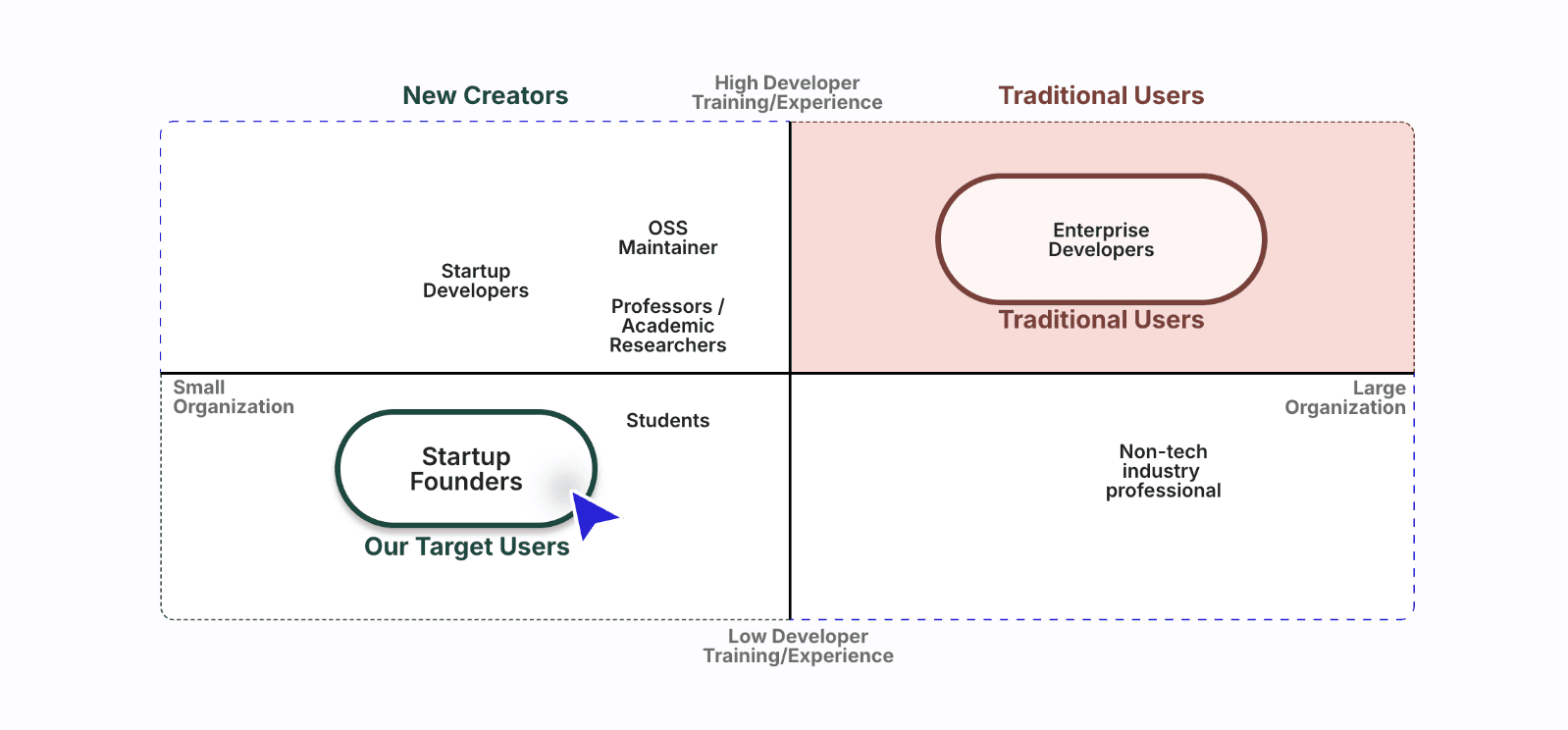
Traditional Users
New Creators
Startup Developers
OSS
Maintainer
Professors / Academic Researchers
Non-tech
industry
professional
Enterprise Developers
Low Developer
Training/Experience
High Developer
Training/Experience
Small
Organization
Traditional Users
Large
Organization
Students
Startup Founders
Our Target Users
What problems do non technical founders face?
What problems do non technical founders face?
Non-technical founders face challenges in turning ideas into working products. Building functional prototypes often involves code dependency and steep learning curves, creating barriers to testing ideas and demonstrating concepts
Non-technical founders face challenges in turning ideas into working products. Building functional prototypes often involves code dependency and steep learning curves, creating barriers to testing ideas and demonstrating concepts

Let’s see what our research uncovered
Let’s see what our research uncovered
Our first round of interviews confirmed a growing demand for “vibe coding” tools: AI platforms that let non-technical users build intuitively through natural language and visual feedback.
Our first round of interviews confirmed a growing demand for “vibe coding” tools: AI platforms that let non-technical users build intuitively through natural language and visual feedback.
Expanding GitHub’s creator base

AI enabling intuitive, code-free product workflows

Rising “build-by-feel” trend among early-stage Startups

"I don’t trust it [The tool and output] because i don’t understand the code."
"Customizing complex interactions for MVP or integrations quickly becomes difficult."
We compared non-technical users with developers using vibe coding tools and found a gap in control and clarity. While developers navigate with confidence, non-technical users need visibility and guidance. Our design closes this gap with more explainable AI interactions.
We compared non-technical users with developers using vibe coding tools and found a gap in control and clarity. While developers navigate with confidence, non-technical users need visibility and guidance. Our design closes this gap with more explainable AI interactions.
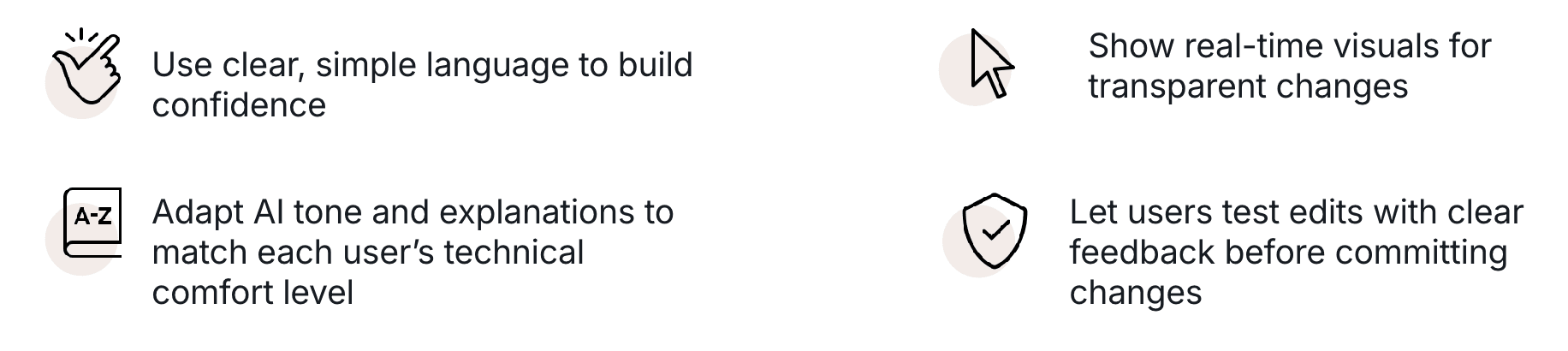
Use clear, simple language to build confidence

Show real-time visuals for transparent changes

Adapt AI tone and explanations to match each user’s technical comfort level

Let users test edits with clear feedback before committing changes

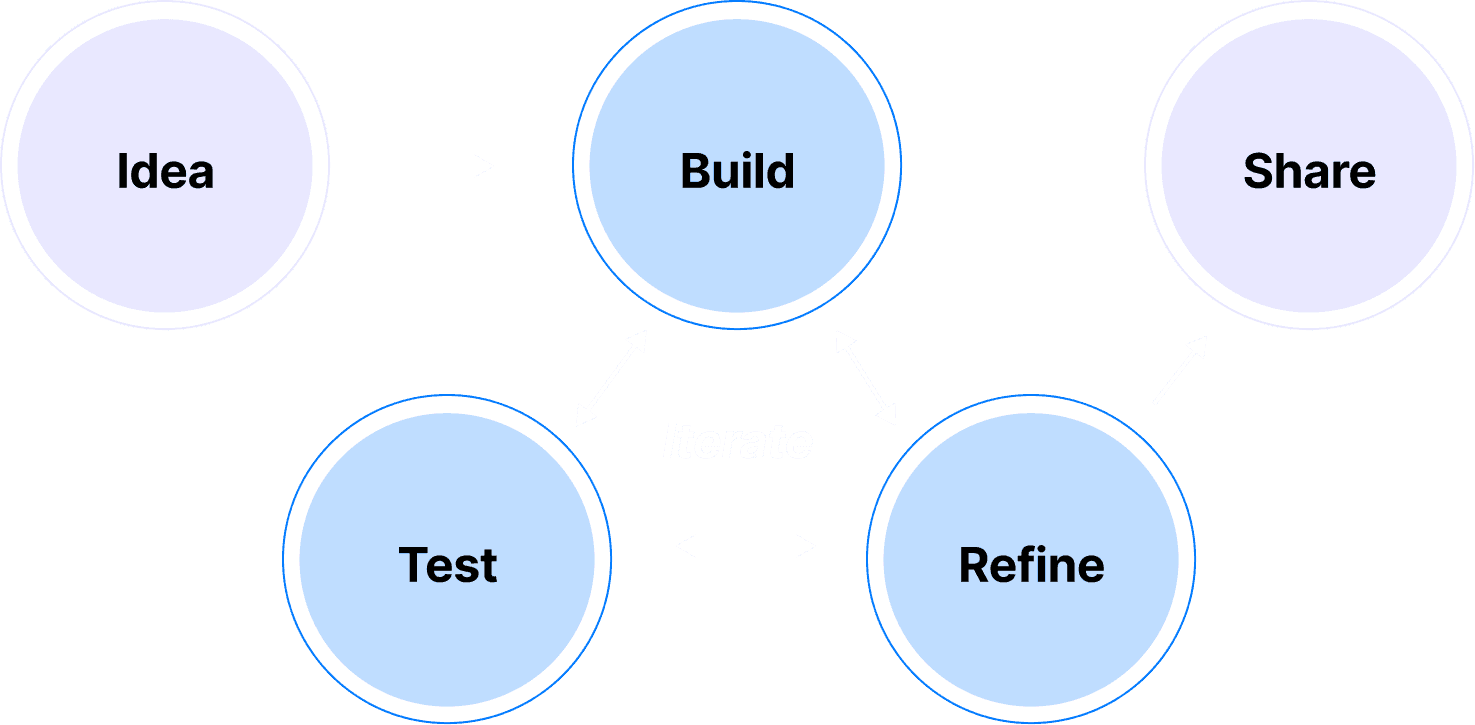
Our focus- The Iteration Stage
Users build, test, and refine- is the main friction point in AI creation. Creators face unclear outputs and limited control, making iteration the biggest barrier to trust and progress.
The Iteration Stage: Users build, test, and refine- is the main friction point in AI creation. Creators face unclear outputs and limited control, making iteration the biggest barrier to trust and progress.
Our focus- The Iteration Stage
Users build, test, and refine- is the main friction point in AI creation. Creators face unclear outputs and limited control, making iteration the biggest barrier to trust and progress.
Bridge to our Solution
Bridge to our Solution
At a time when AI tools like Vercel and Lovable were just emerging, understanding the the motivations and pain points of these early-stage, non-technical creators helped us define where Spark could truly make a difference — not just for Spark, but applicable across AI prompting and generation tools.
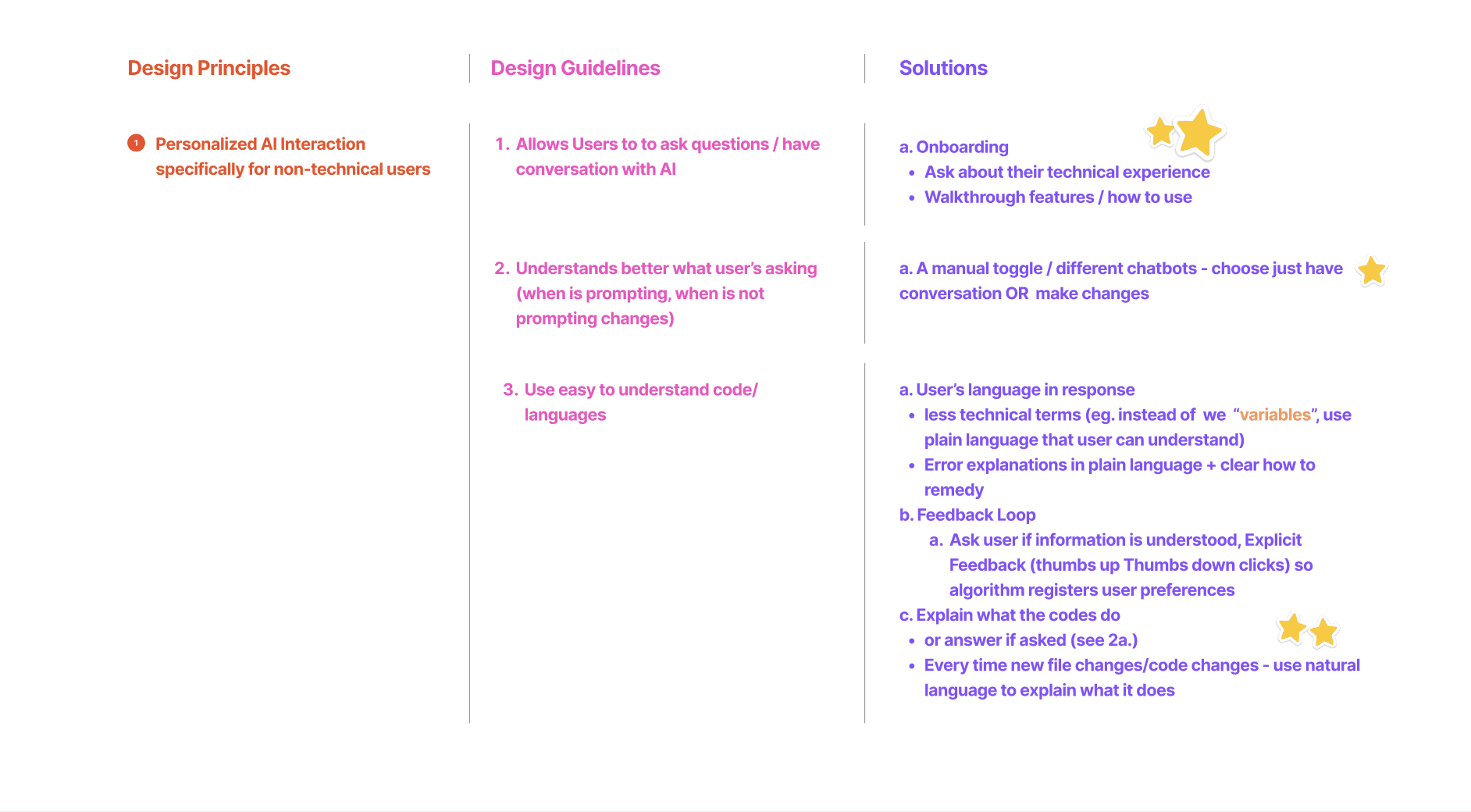
Personalized AI Interaction for non-technical users
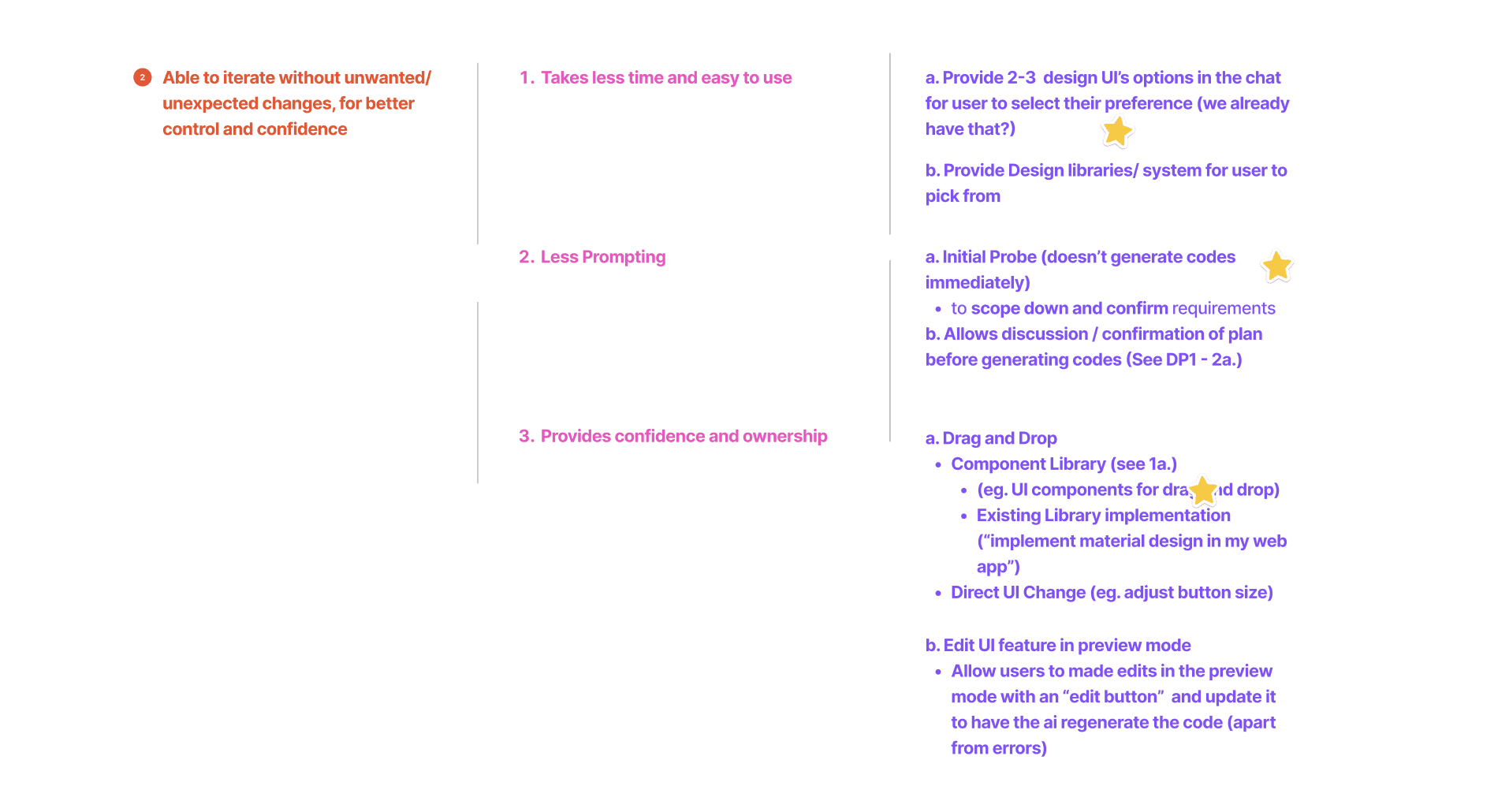
Able to iterate without unwanted/unexpected changes, for better control and confidence
Able to iterate without unwanted/unexpected changes, for better control and confidence
After finalizing and designing our concepts, we conducted task-based think-aloud usability tests followed by retrospective interviews with non-technical startup founders, which led us to...
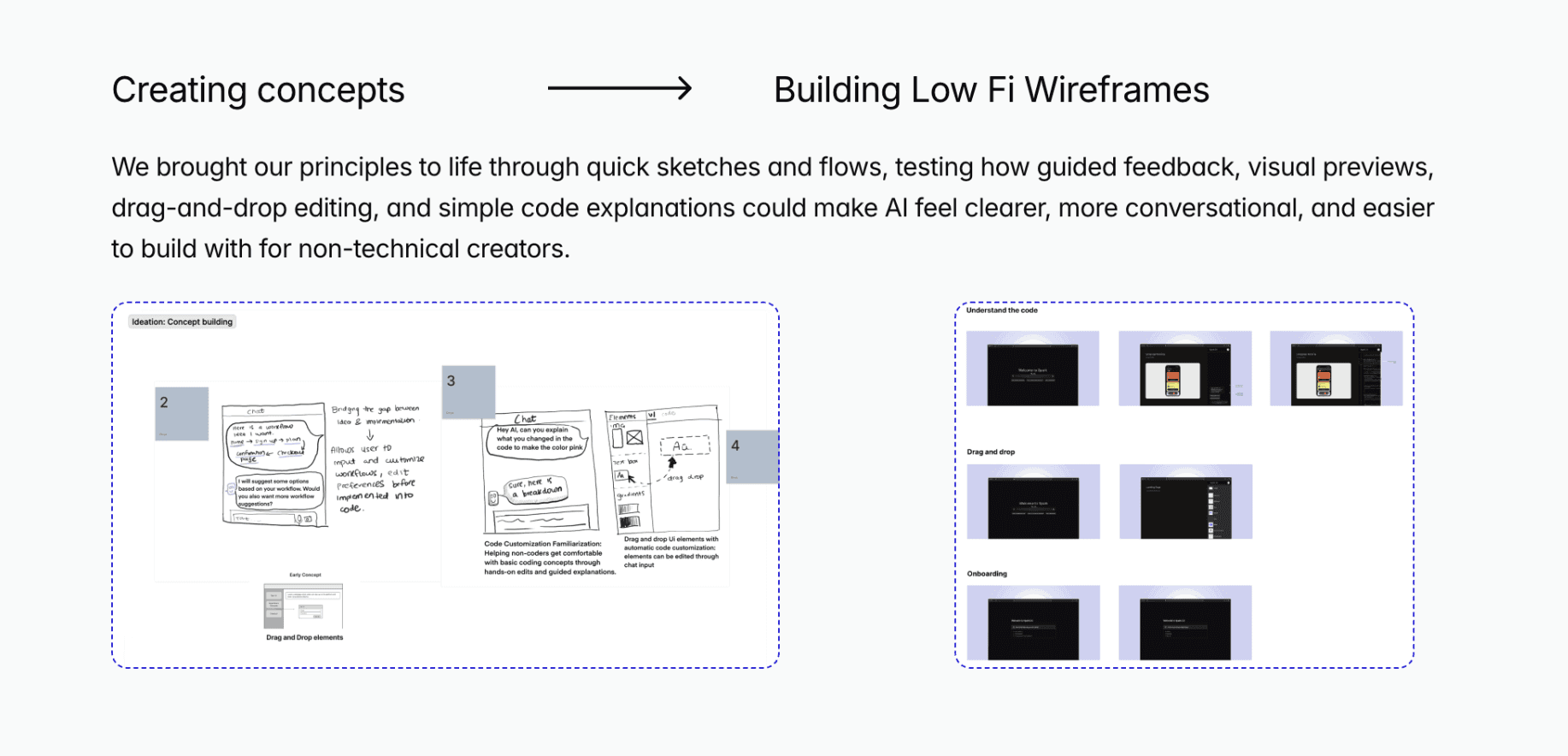
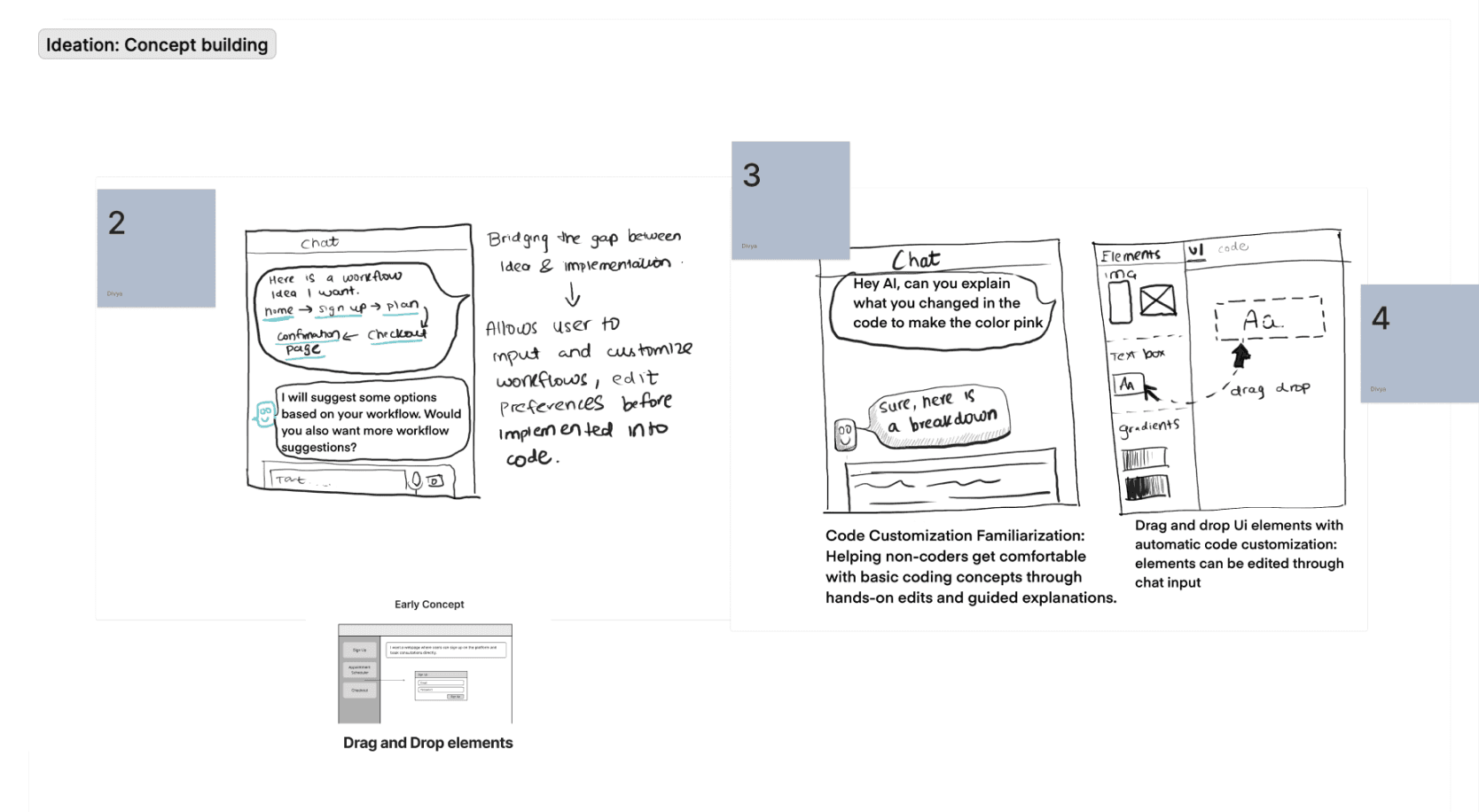
Creating concepts
Building Low Fi Wireframes
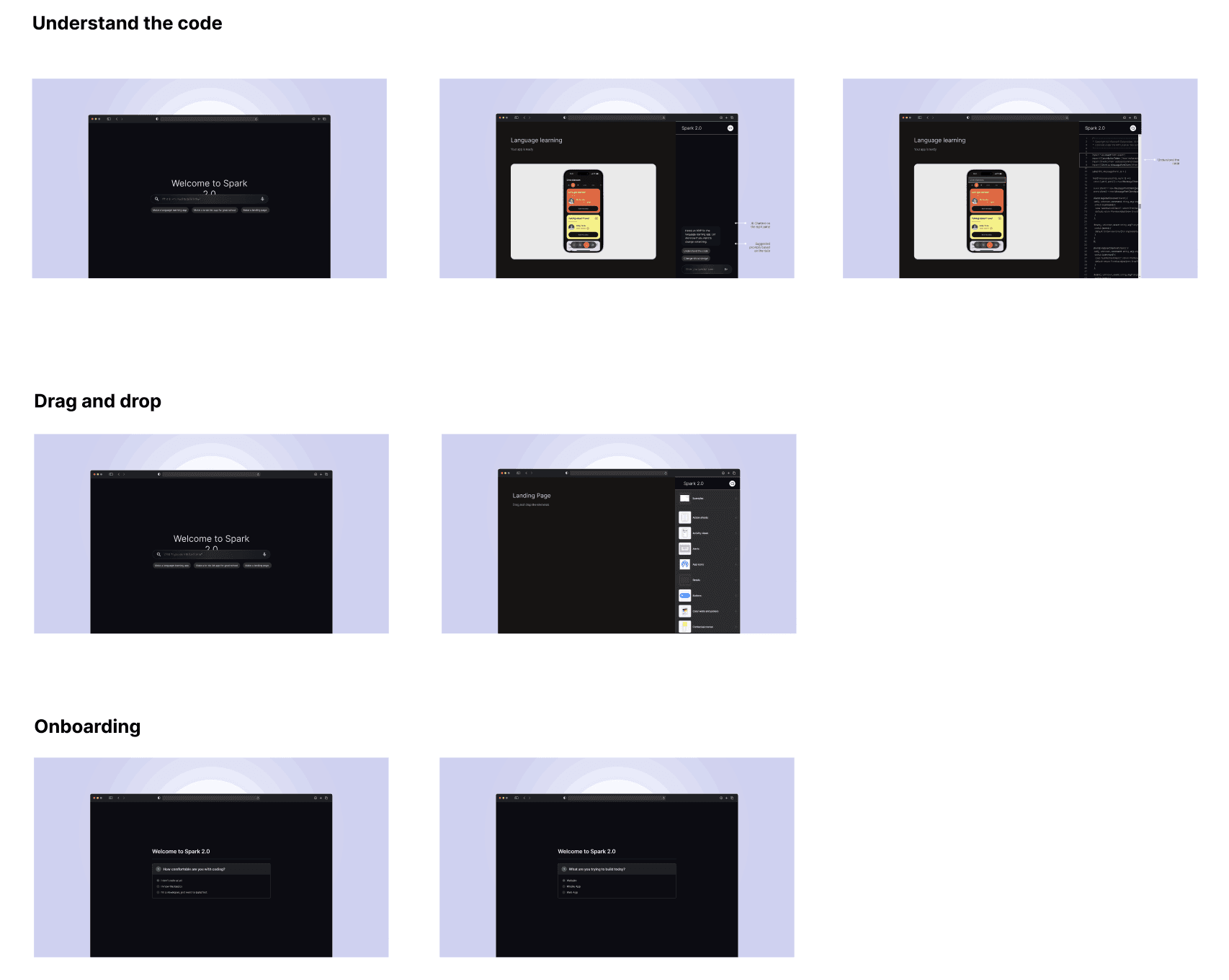
We brought our principles to life through quick sketches and flows, testing how guided feedback, visual previews, drag-and-drop editing, and simple code explanations could make AI feel clearer, more conversational, and easier to build with for non-technical creators.
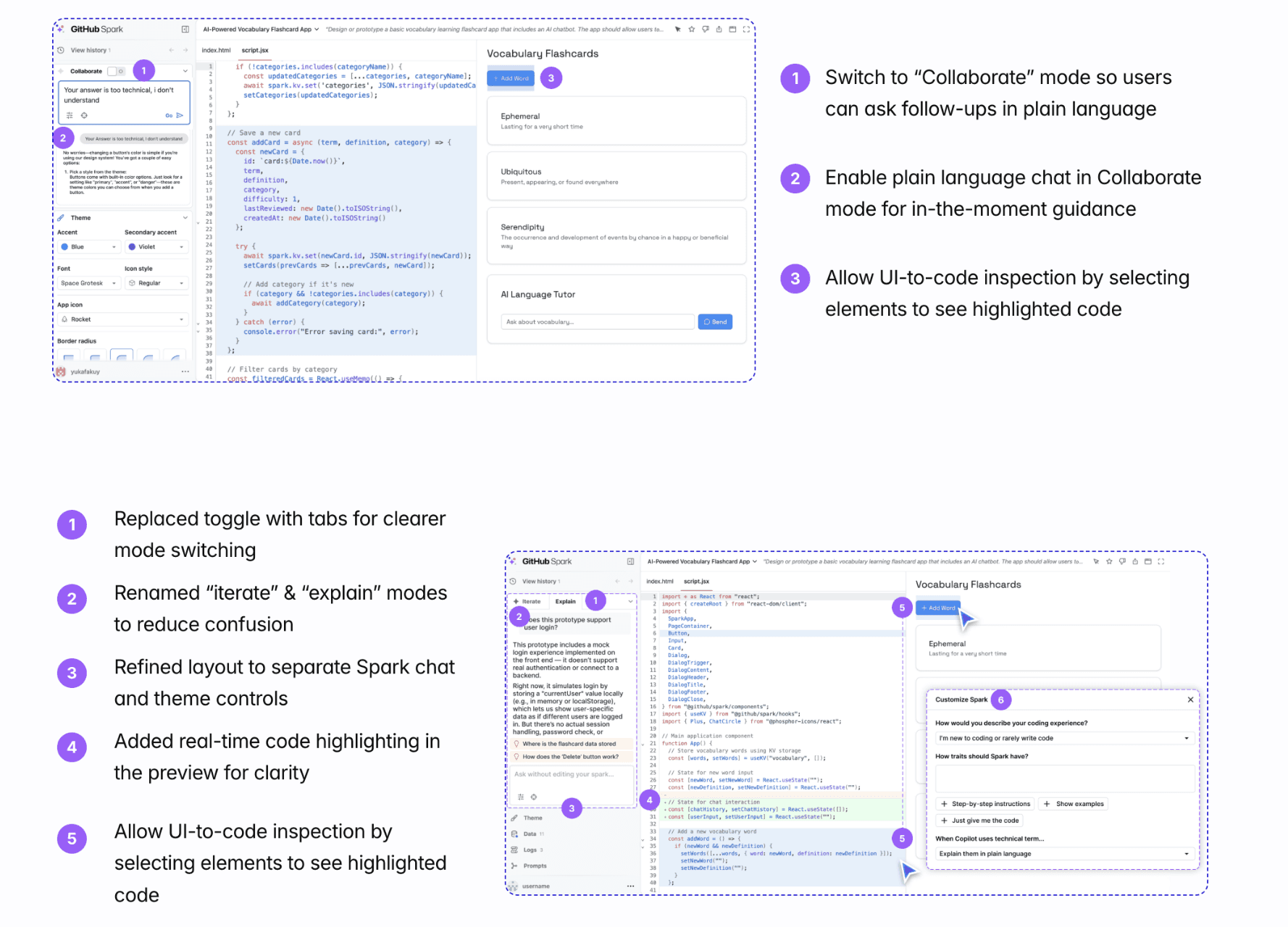
After finalizing and designing our concepts, we conducted task-based think-aloud usability tests followed by retrospective interviews with non-technical startup founders, which led us to...
1
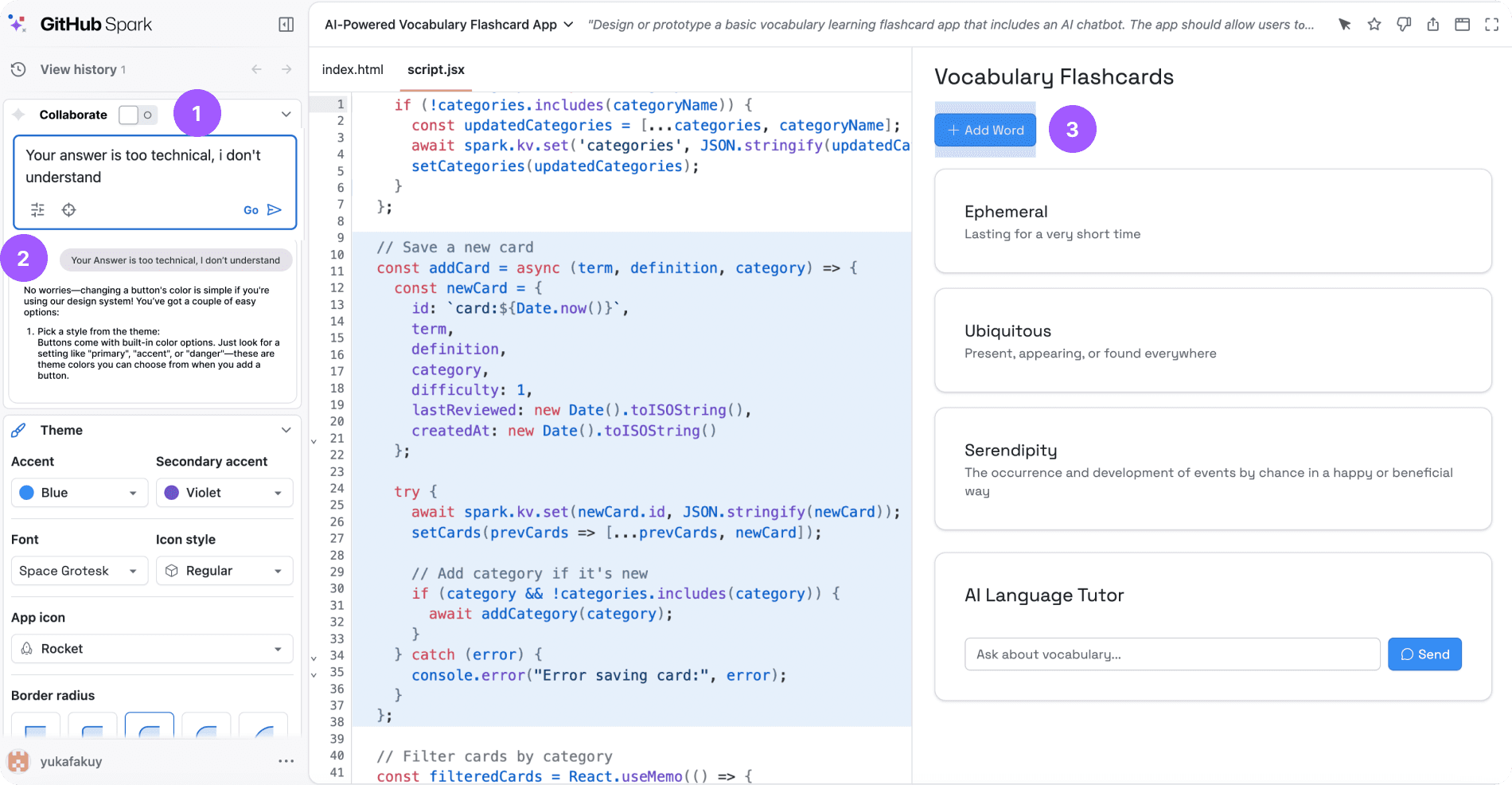
Switch to “Collaborate” mode so users can ask follow-ups in plain language
2
Enable plain language chat in Collaborate mode for in-the-moment guidance
3
Allow UI-to-code inspection by selecting elements to see highlighted code
1
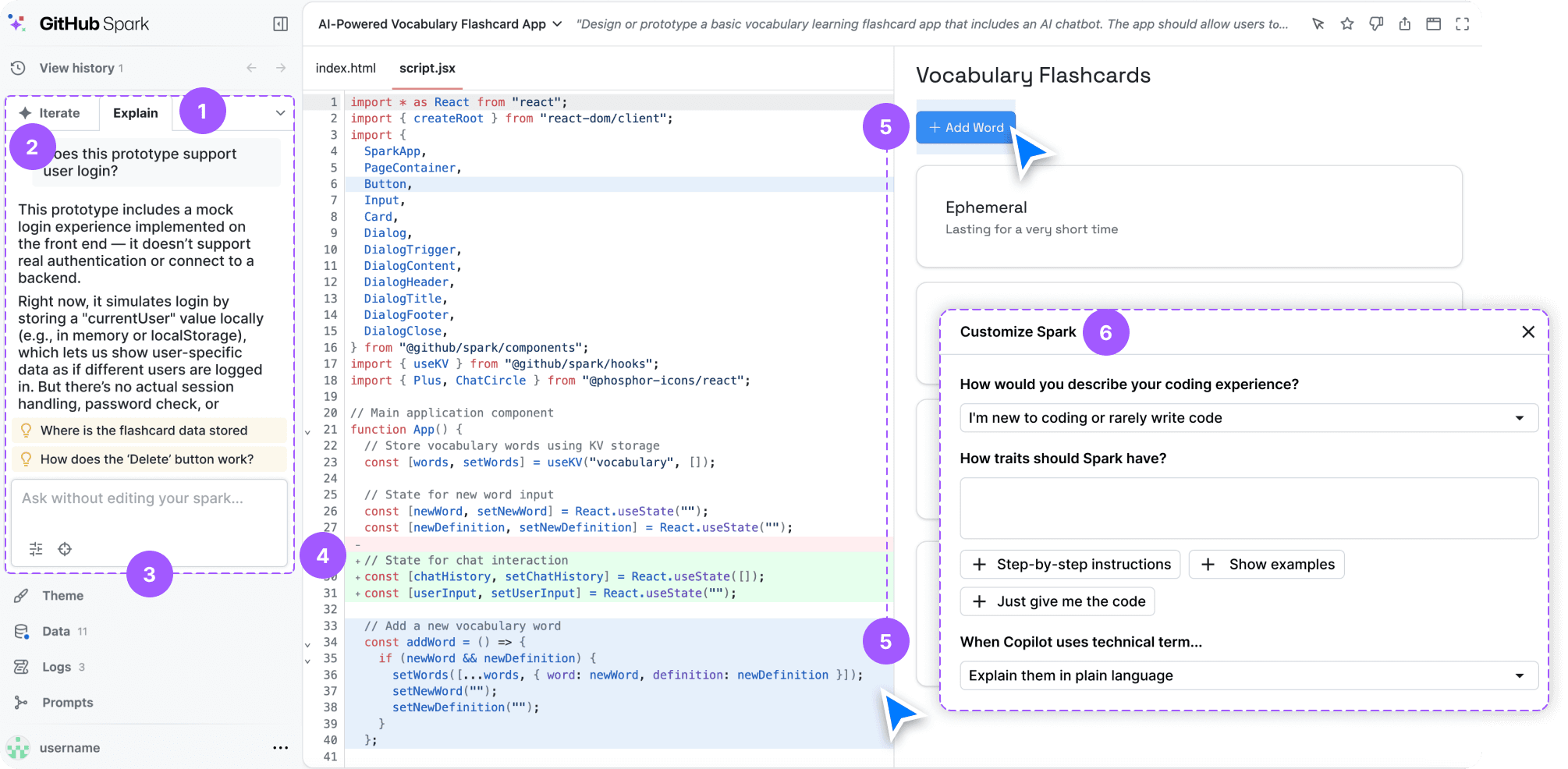
Replaced toggle with tabs for clearer mode switching
2
Renamed “iterate” & “explain” modes to reduce confusion
3
Refined layout to separate Spark chat and theme controls
4
Added real-time code highlighting in the preview for clarity
5
Allow UI-to-code inspection by selecting elements to see highlighted code
6
Set technical level so Spark matches user’s language
To give users clear, controllable, and trustworthy ways to understand, edit, and iterate on AI-generated code without losing visibility or confidence.
To give users clear, controllable, and trustworthy ways to understand, edit, and iterate on AI-generated code without losing visibility or confidence.
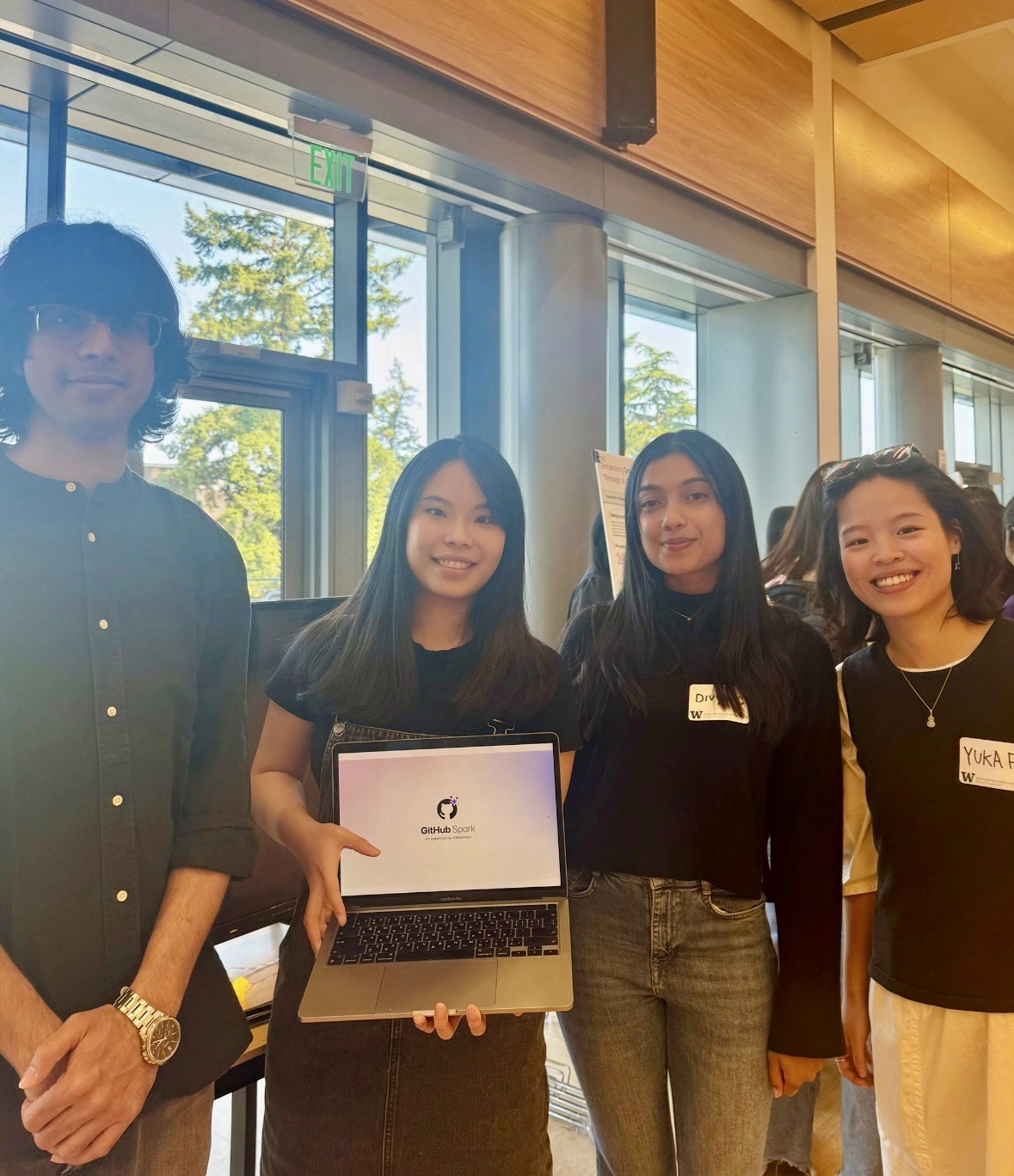
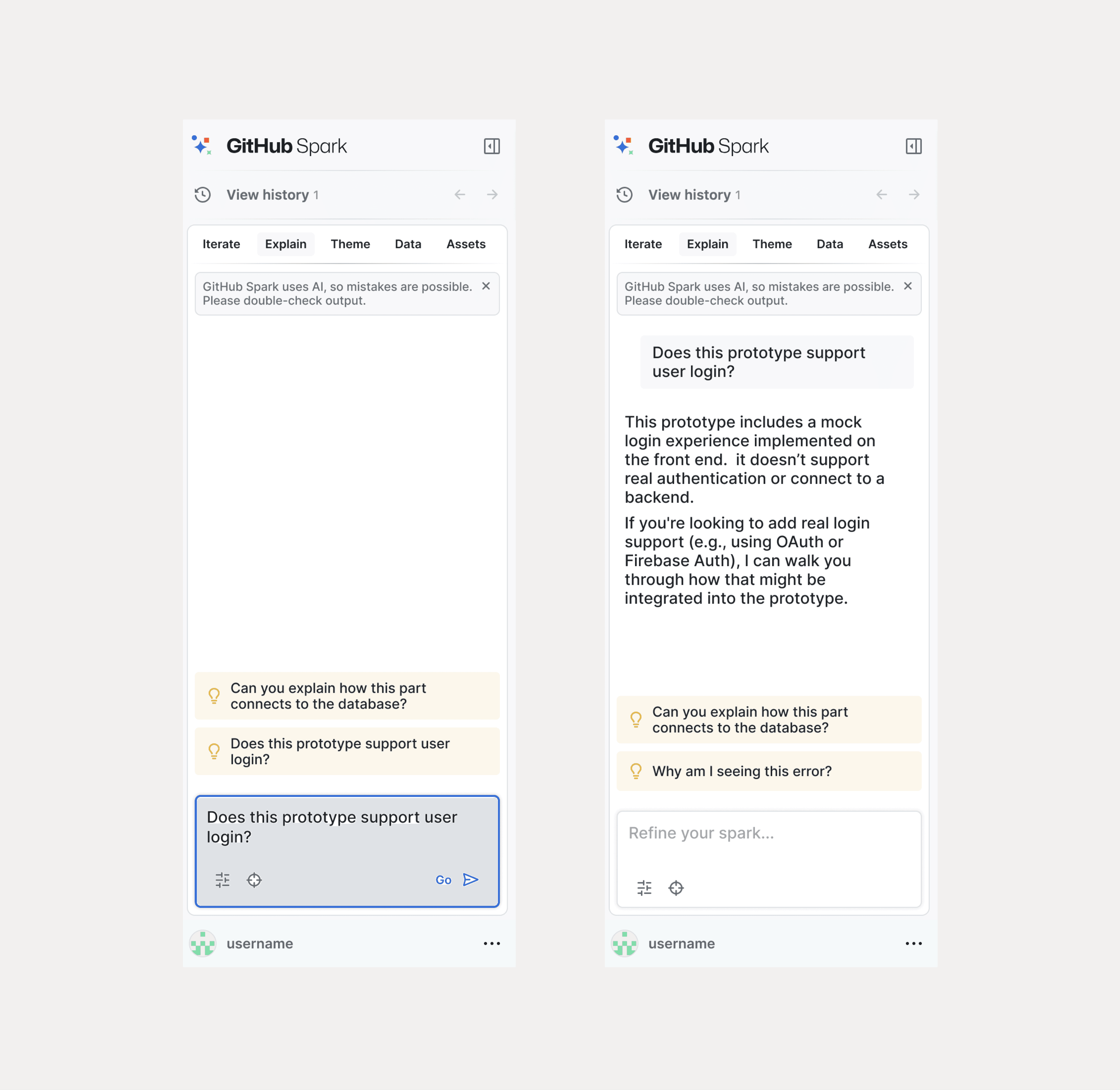
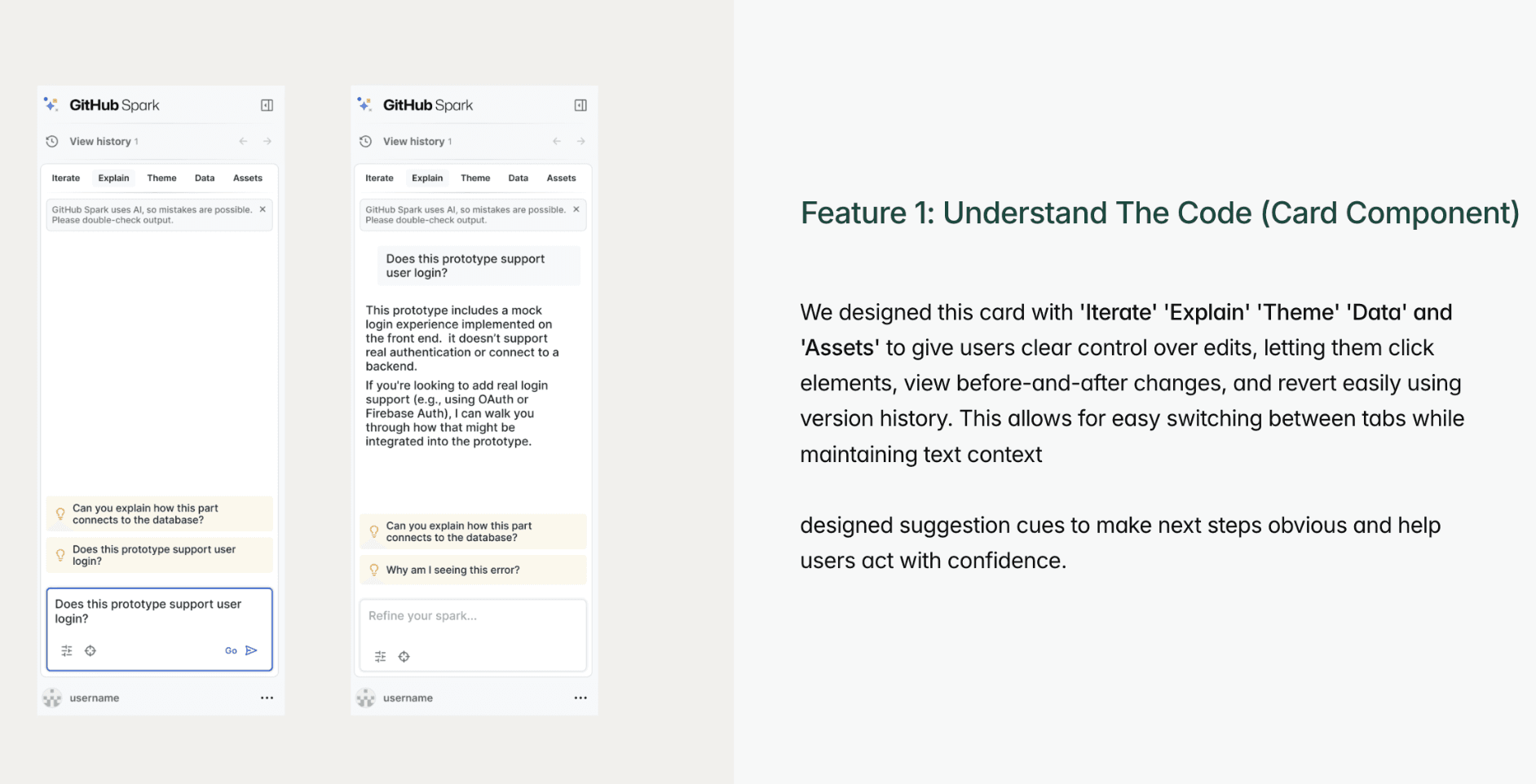
We designed this card with 'Iterate' 'Explain' 'Theme' 'Data' and 'Assets' to give users clear control over edits, letting them click elements, view before-and-after changes, and revert easily using version history. This allows for easy switching between tabs while maintaining text context
designed suggestion cues to make next steps obvious and help users act with confidence.
Feature 1: Understand The Code (Card Component)
We designed this feature to give users clear control over edits, letting them click elements, view before-and-after changes, and revert easily using version history.
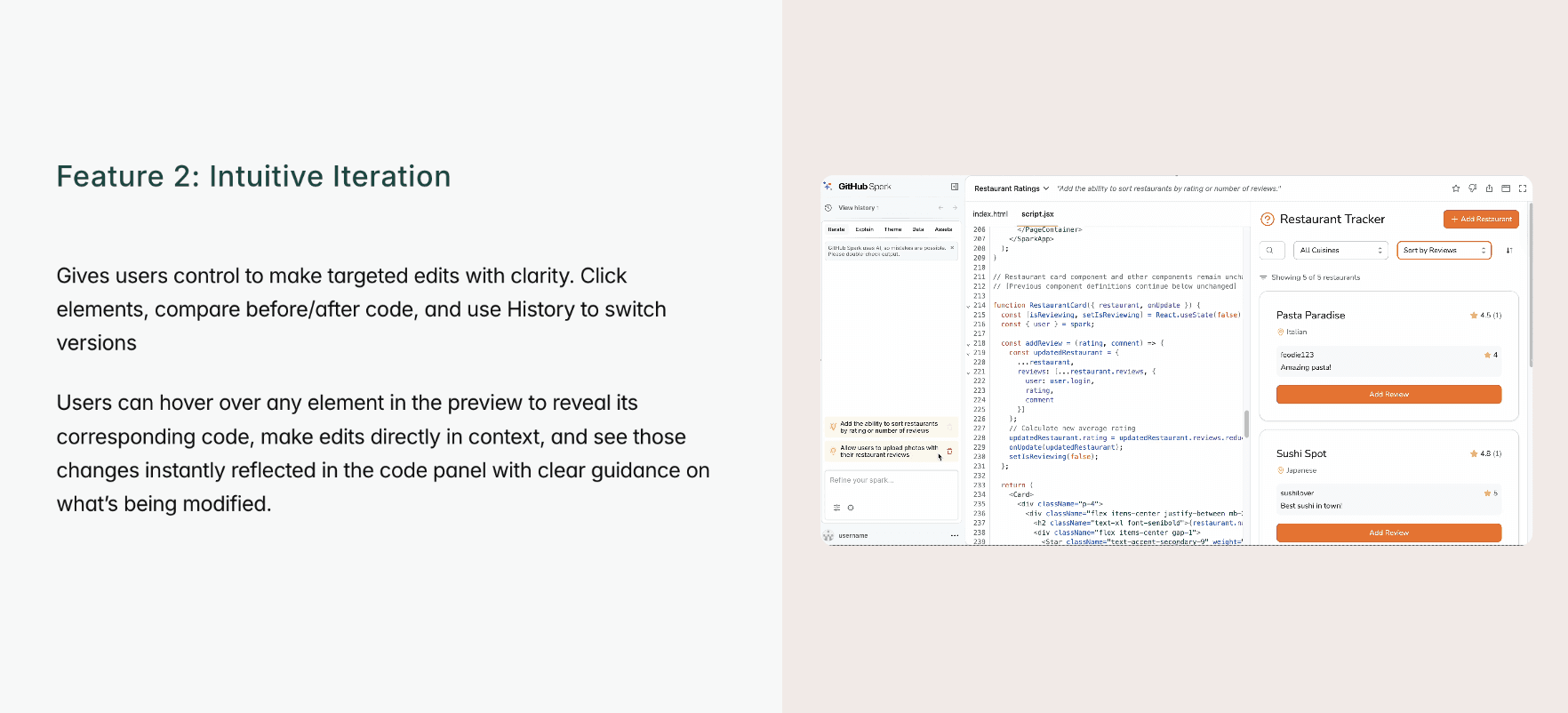
Gives users control to make targeted edits with clarity. Click elements, compare before/after code, and use History to switch versions
Users can hover over any element in the preview to reveal its corresponding code, make edits directly in context, and see those changes instantly reflected in the code panel with clear guidance on what’s being modified.
Feature 2: Intuitive Iteration
We designed this feature to give users clear control over edits, letting them click elements, view before-and-after changes, and revert easily using version history.
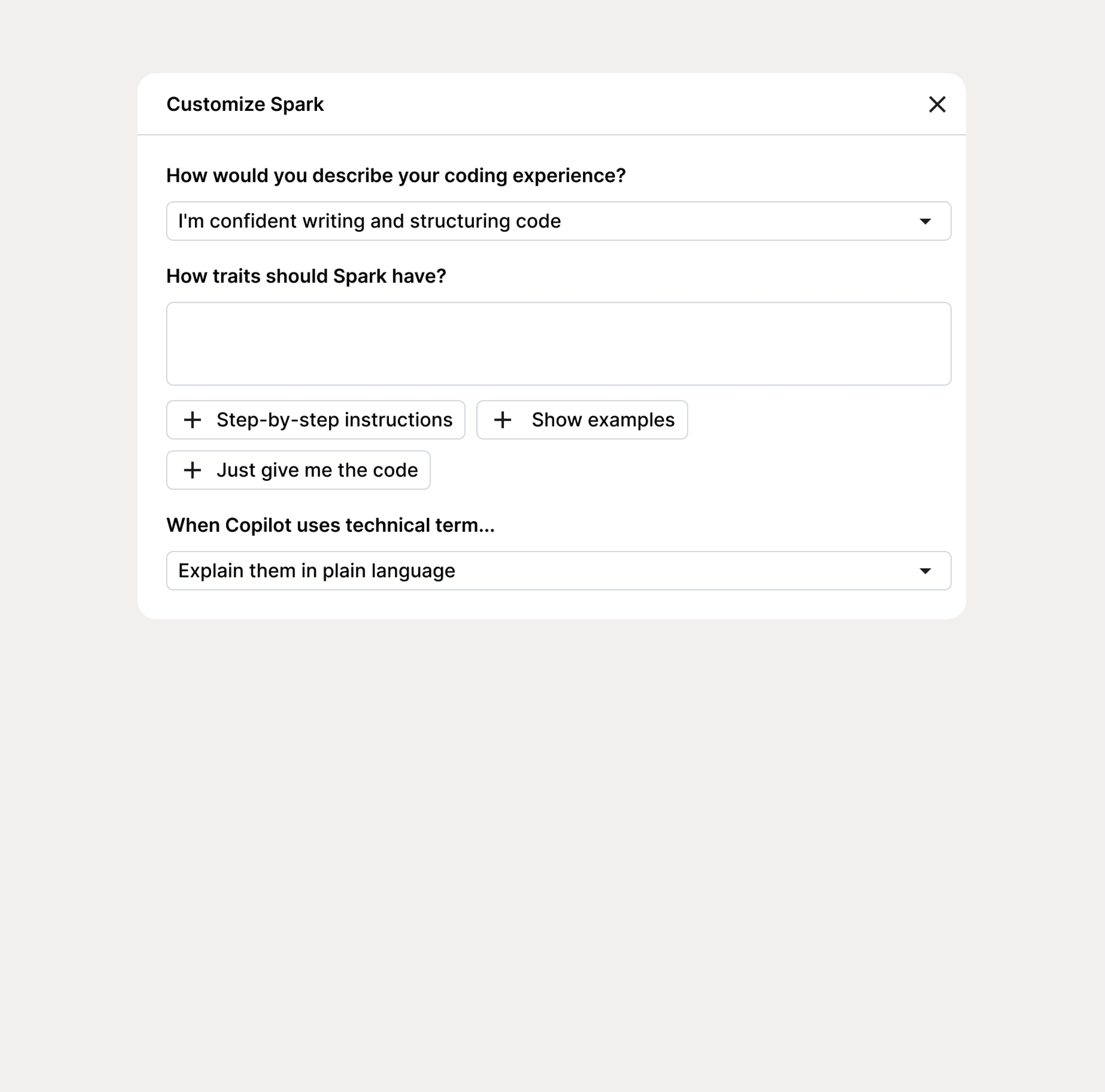
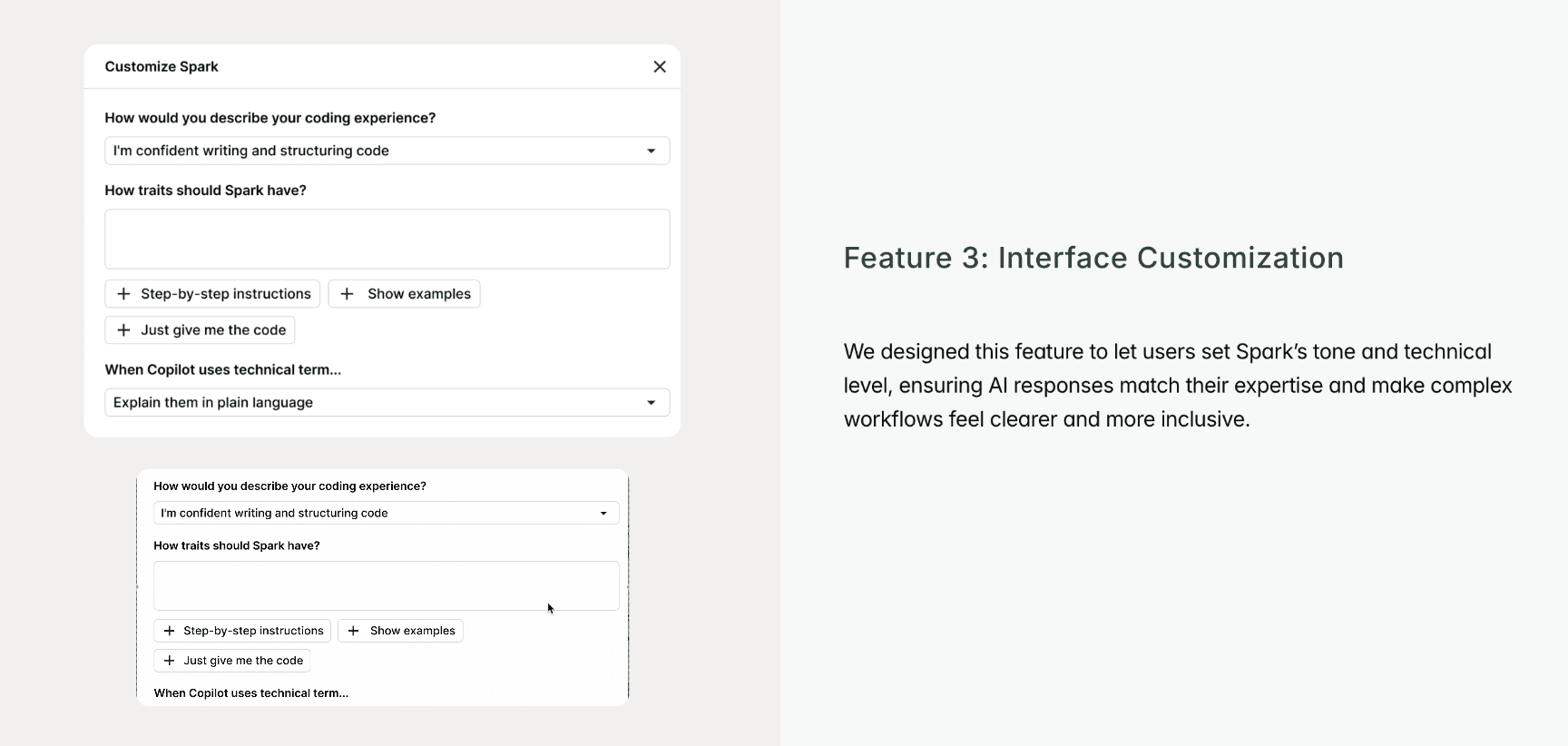
We designed this feature to let users set Spark’s tone and technical level, ensuring AI responses match their expertise and make complex workflows feel clearer and more inclusive.
Feature 3: Interface Customization
We designed this feature to give users clear control over edits, letting them click elements, view before-and-after changes, and revert easily using version history.
Limitations
Our usability testing couldn’t capture quantitative measures of performance or large-scale validation, which limited how precisely we could evaluate impact. Time constraints also prevented us from testing live AI interactions, so some findings remained conceptual.
Learnings
This project taught us to creatively simulate AI complexity through prototyping and storytelling. By actually building and testing designs within these tools, we gained a firsthand understanding of where AI is positioned today and how it will shape the future of design. We saw that user trust comes not from perfect automation but from clarity, transparency, and giving people confidence and control throughout the experience.
Learnings
The project taught us to creatively simulate AI complexity through prototyping and storytelling. We saw that user trust comes not from perfect automation but from clarity, transparency, and giving people confidence and control throughout the experience.
Limitations
Our usability testing couldn’t capture quantitative measures of performance or large-scale validation, which limited how precisely we could evaluate impact. Time constraints also prevented us from testing live AI interactions, so some findings remained conceptual.
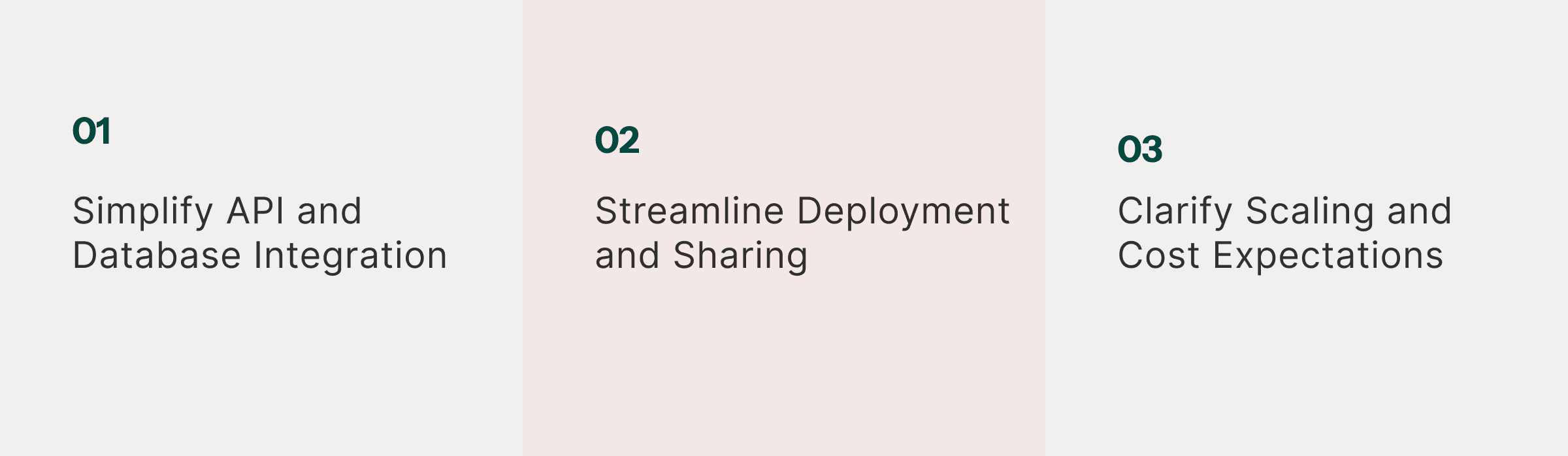
Future directions we explored as part of the team’s roadmap and design process. While these didn’t make it into the final build due to scope and prioritization, they helped shape our thinking. Feel free to reach out at divya.mavin2@gmail.com for more details.
Future directions we explored as part of the team’s roadmap and design process. While these didn’t make it into the final build due to scope and prioritization, they helped shape our thinking. Feel free to reach out at divya.mavin2@gmail.com for more details.
Designed and built with purpose | © 2025 by Divya Mavinkurve
Designed and built with purpose | © 2025 by Divya Mavinkurve
Role
Lead Product Research and Designer
Timeline
Dec 2024-Jun 2025
Team
PM, Design and UX Research
Deliverables
Interactive Mocks
High Fidelity Prototype
Competitor Study
Design Guidelines